


Applicable Scope
This guide applies to Gate Web
Before you start: Ensure you have sufficient funds in your Gate account and know the recipient's Gate UID, email, or mobile number
Estimated time: 3 m
Objective
This guide will walk you through how to transfer funds between Gate accounts using the internal transfer function on Gate Web.
Steps
Step 1: Access the Funds Overview Page
- Log in to your Gate account.
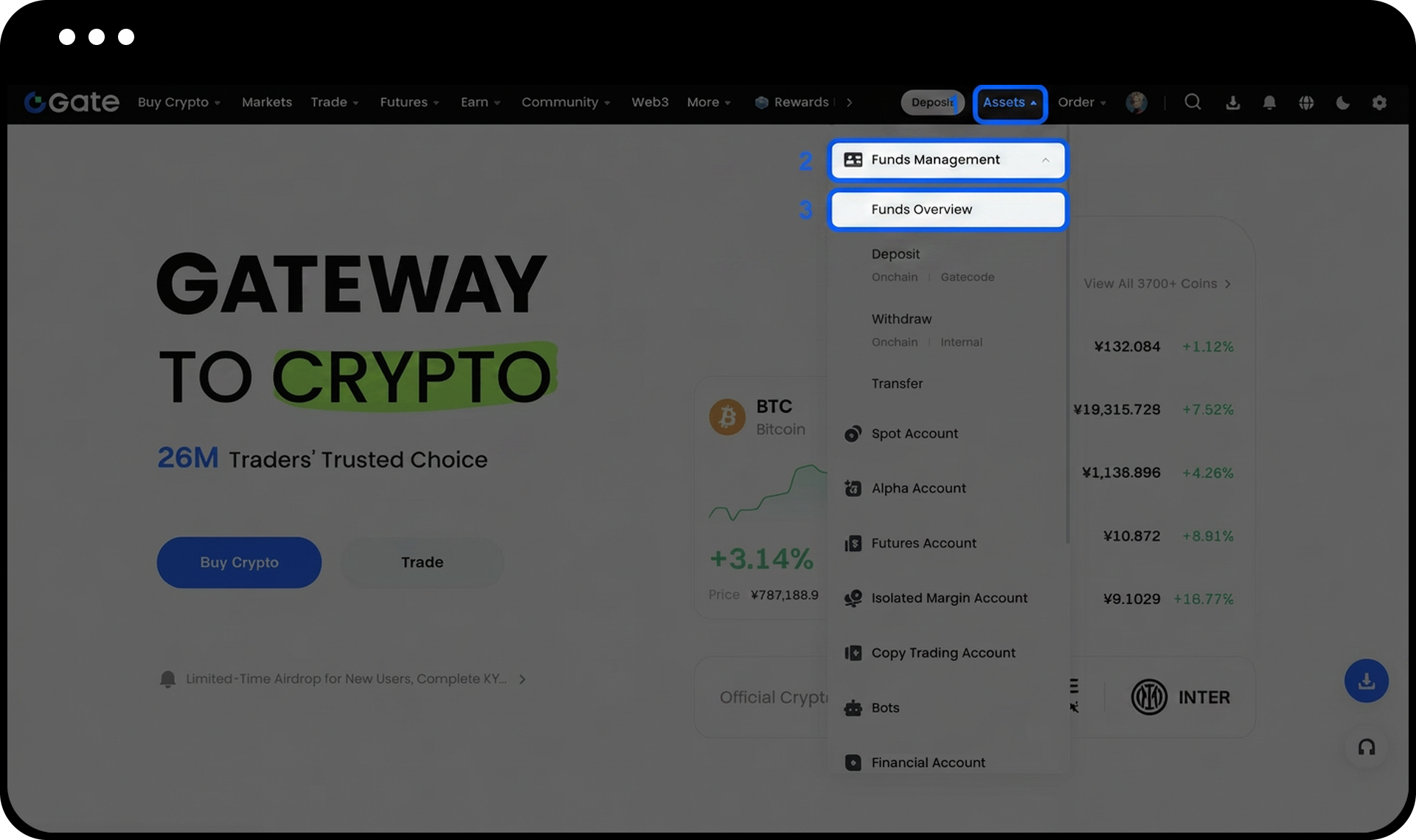
- Hover your mouse over Assets in the upper right corner.
- Click on Funds Overview.
Step 2: Initiate the Transfer
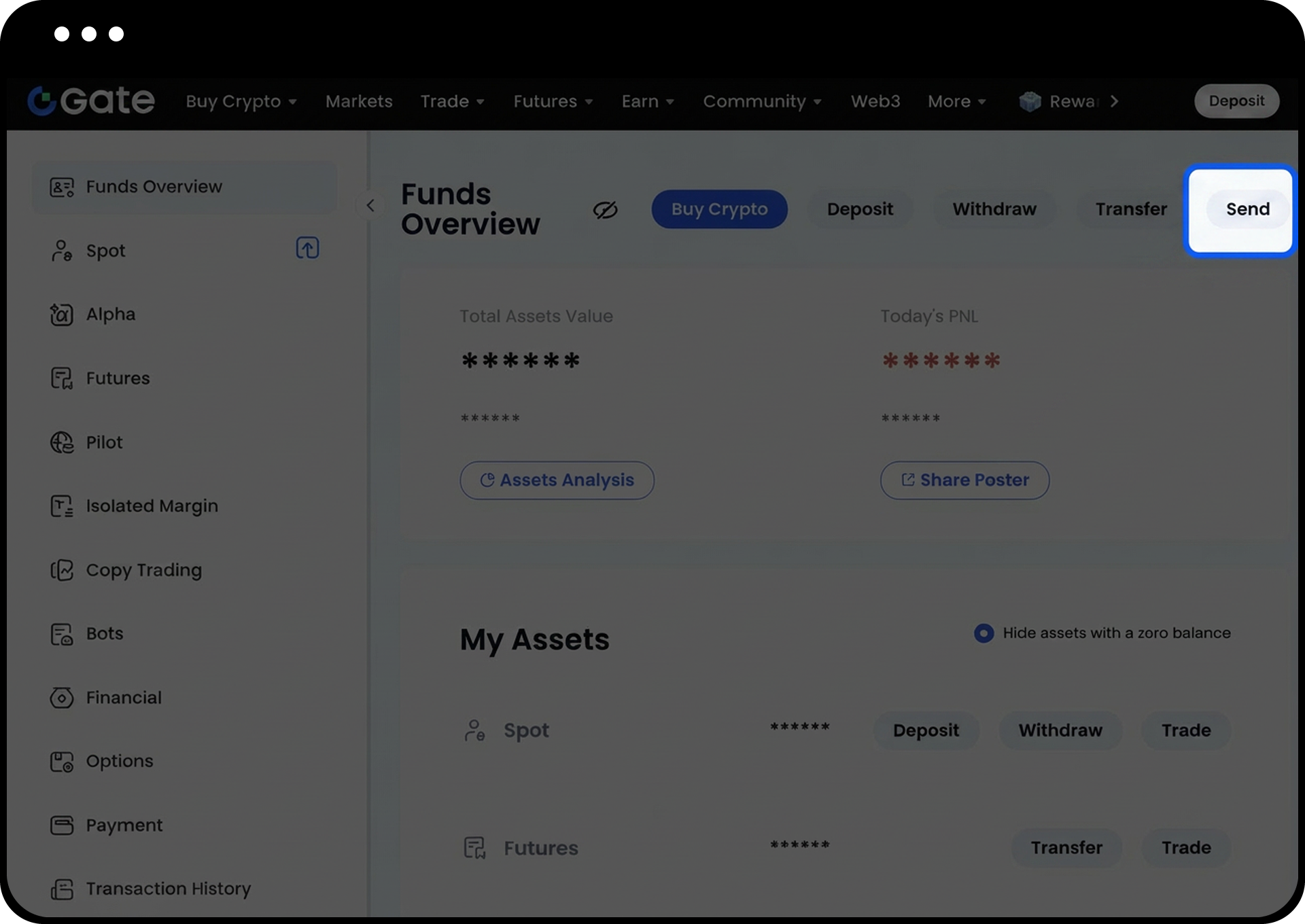
- Click on Send.
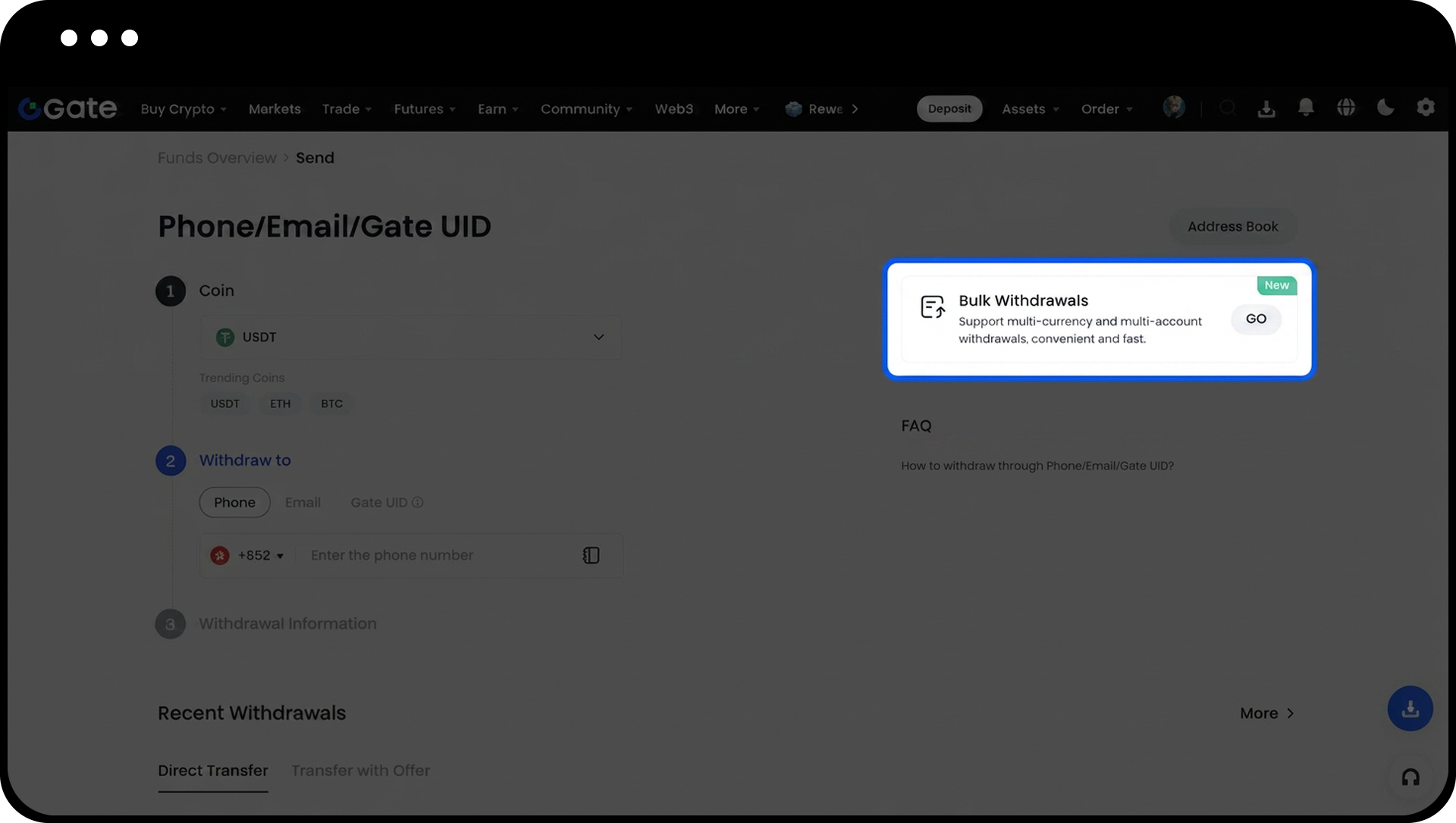
- Select the currency you want to transfer (e.g., USDT).
- Batch withdrawals are also available if you need to transfer multiple currencies.
Step 3: Enter Recipient Information and Transfer Amount
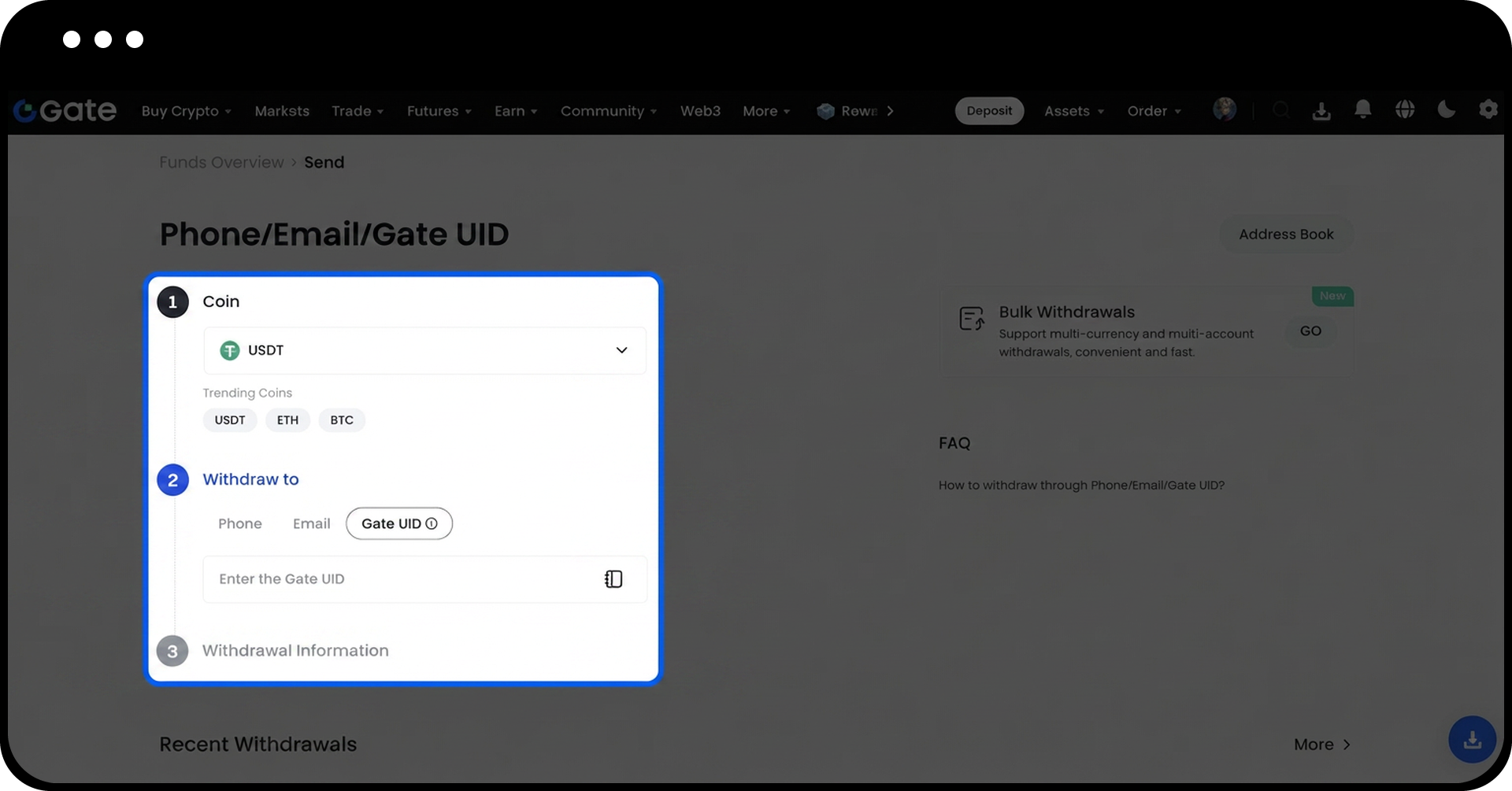
- Choose your preferred method to identify the recipient: Gate UID, email, or mobile phone number.
- Enter the recipient's Gate UID (or email/mobile number).
- Select the transfer amount.
- Proceed with the transfer.
If you don't know how to check your UID, you can click "How to find my Gate user ID | Gate" to learn more.
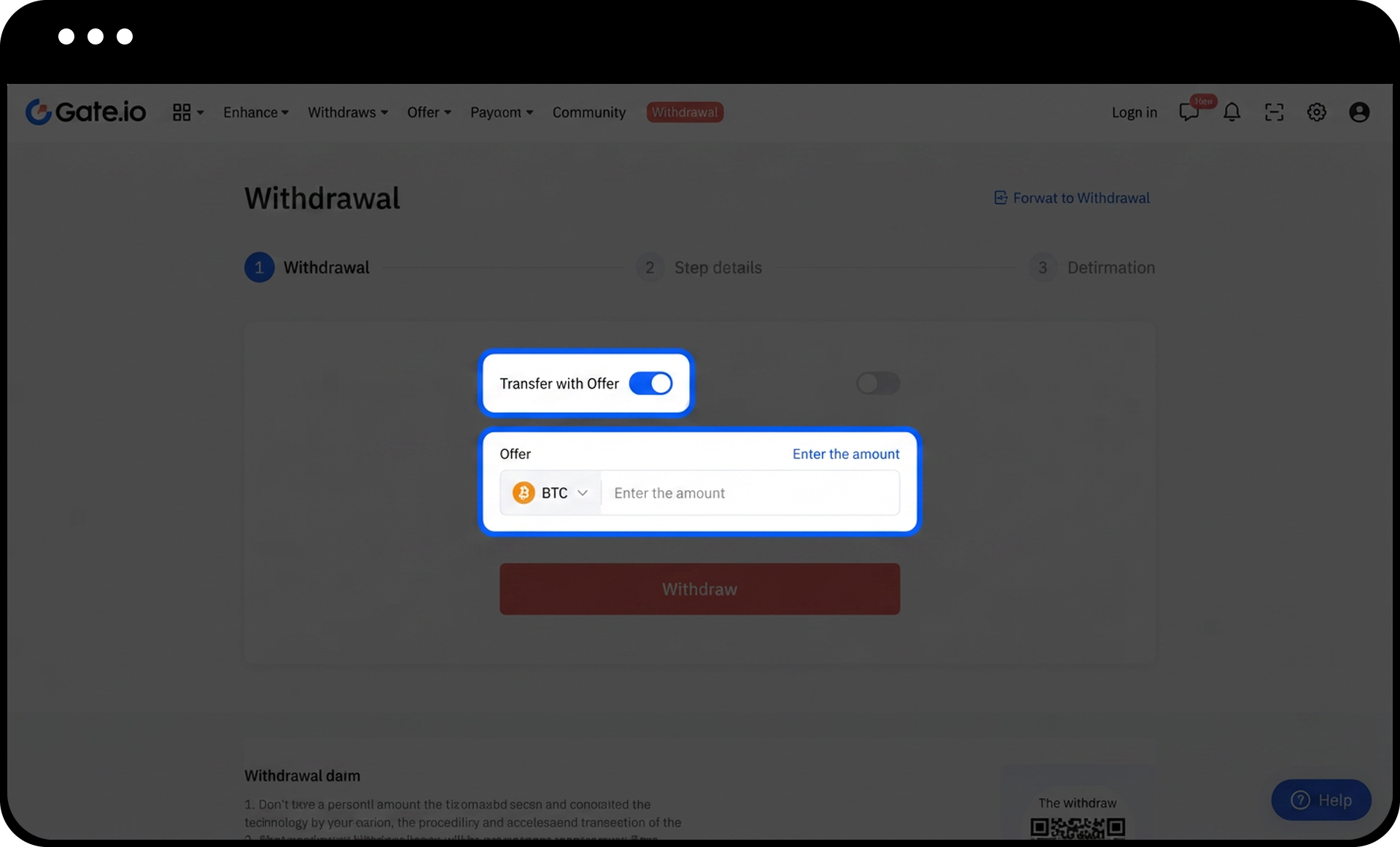
Step 4: Use With-Value Transfer (Optional)
You can also check With-Value Transfer option. With-Value Transfer allows both parties to agree on the price and currency before completing the transfer. The transfer will only be completed when the other party agrees to the price quote, ensuring faster fund arrival and clear consensus on the transfer price.
Notes
- Internal transfers between Gate accounts incur no transaction fees and are processed instantly.
- Verify that the entered Gate UID, phone number, or email information is accurate before confirming the transfer. Incorrect information may result in funds being transferred to the wrong account.
- No-fee and instant deposit features only apply when the receiving address belongs to a Gate account. Confirm the receiving address belongs to a Gate account before proceeding.
- Carefully review your withdrawal token, amount, and recipient address before confirming the transaction.
- Internal transfers are generally credited in real time, but verify the receiving account promptly after the transfer to ensure funds have been received correctly.
FAQ
Q1: What is the difference between internal transfers and regular withdrawals?
A: Internal transfers are completed instantly between Gate accounts with no transaction fees, while regular withdrawals to external wallets may incur network fees and require confirmation time.
Q2: Can I cancel an internal transfer after it has been completed?
A: No, internal transfers are processed instantly and cannot be reversed. Please verify all recipient information and transfer amounts carefully before confirming.
Q3: What should I do if I transferred funds to the wrong Gate account?
A: Contact Gate Customer Support immediately with your transaction details. However, fund recovery depends on the cooperation of the receiving account holder.
Disclaimer
The content provided herein is for reference and educational purposes only and does not constitute any financial, investment, trading, or legal advice, nor does it constitute an offer or solicitation to buy or sell any digital assets. Gate makes no express or implied representations or warranties regarding the accuracy, completeness, or timeliness of the information contained herein. Product features, interfaces, rules, and fee structures may be updated or adjusted at any time. Please refer to the latest announcements and the actual information displayed on the Gate platform for the most accurate details.
Digital asset investments involve significant risk, and prices may fluctuate substantially. You may lose the entire amount of your investment. Please make decisions cautiously based on your own financial situation and risk tolerance after fully understanding the associated risks. If necessary, you are advised to consult an independent professional financial or legal advisor.
For more information about potential risks, please refer to Gate's Risk Disclosure and User Agreement.
