


Applicable Scope
This guide applies to Gate Web
Before you start: Ensure you have a verified Gate account with sufficient funds in your trading account
Estimated time: 3 m
Objective
This guide will walk you through how to trade ETFs (Exchange Traded Funds) on Gate Web.
Steps
Step 1: Access the ETF Trading Page
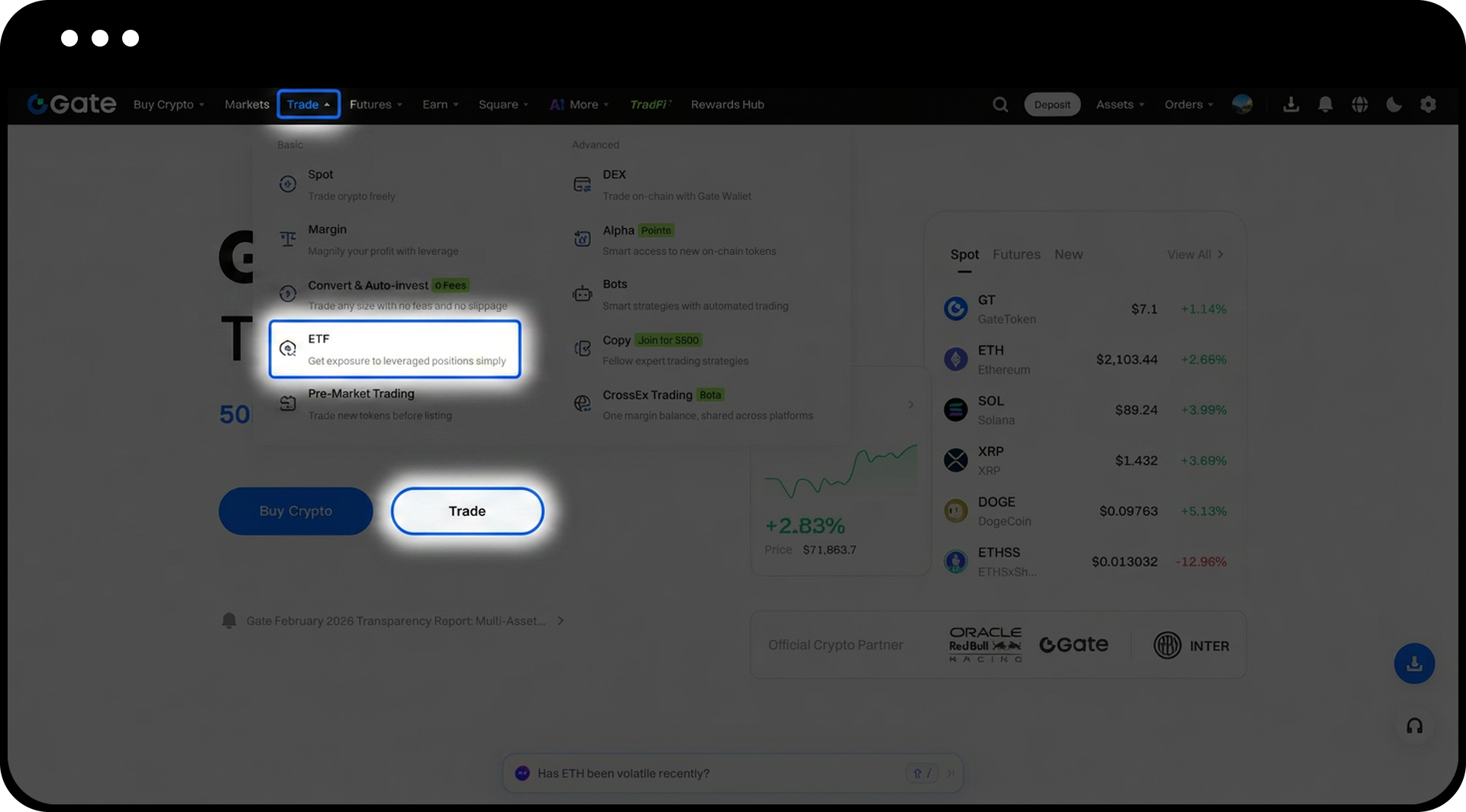
- Open Gate Web and navigate to the main menu.
- Click [Trade] - [ETF] to enter the ETF Trading Page.
Step 2: Select Your ETF Trading Pair
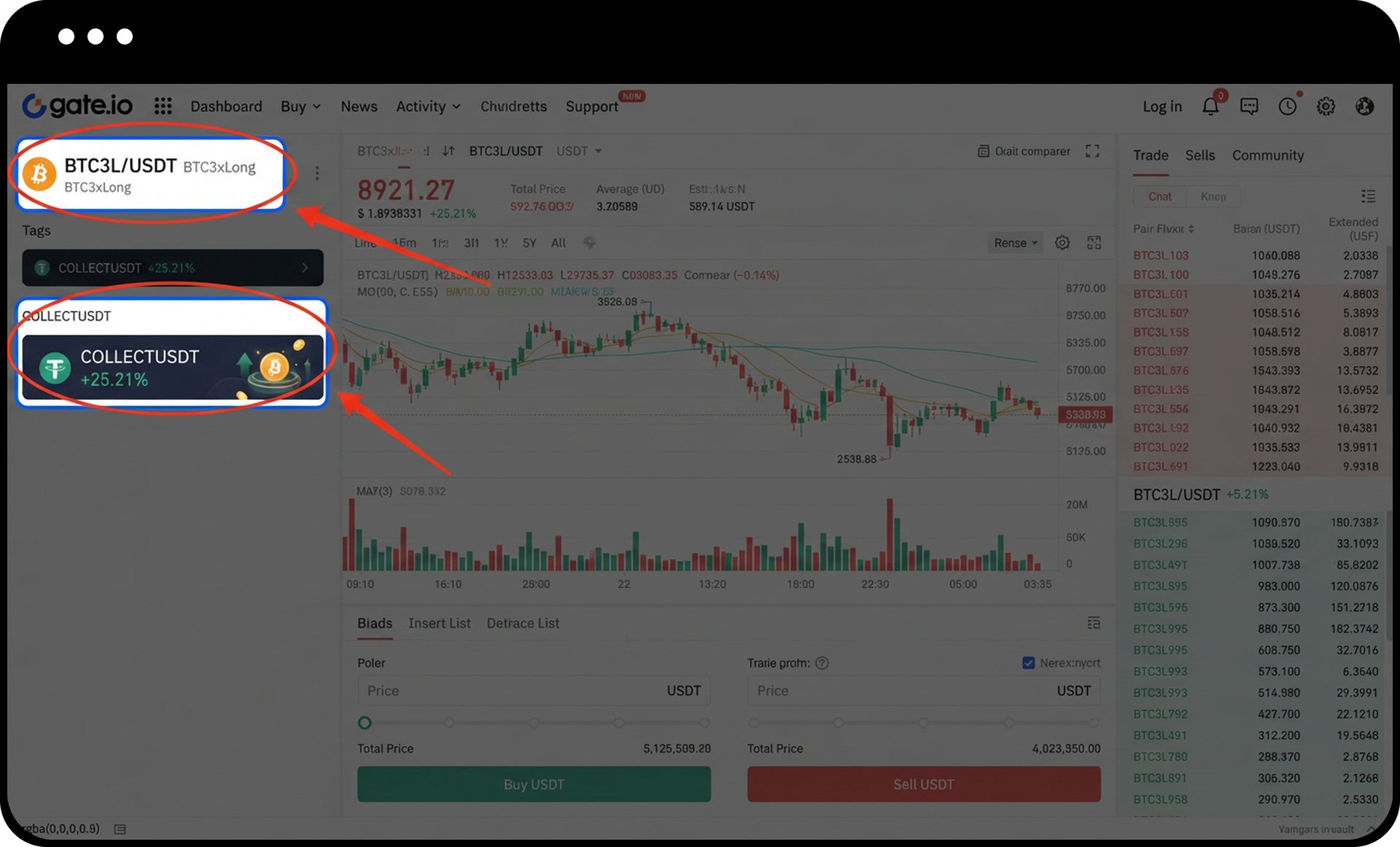
- Browse the available ETF trading pairs by clicking on any displayed pair to view all related ETF options.
- Alternatively, use the search bar to quickly find specific ETFs you wish to trade.
Step 3: Place Your Buy Order
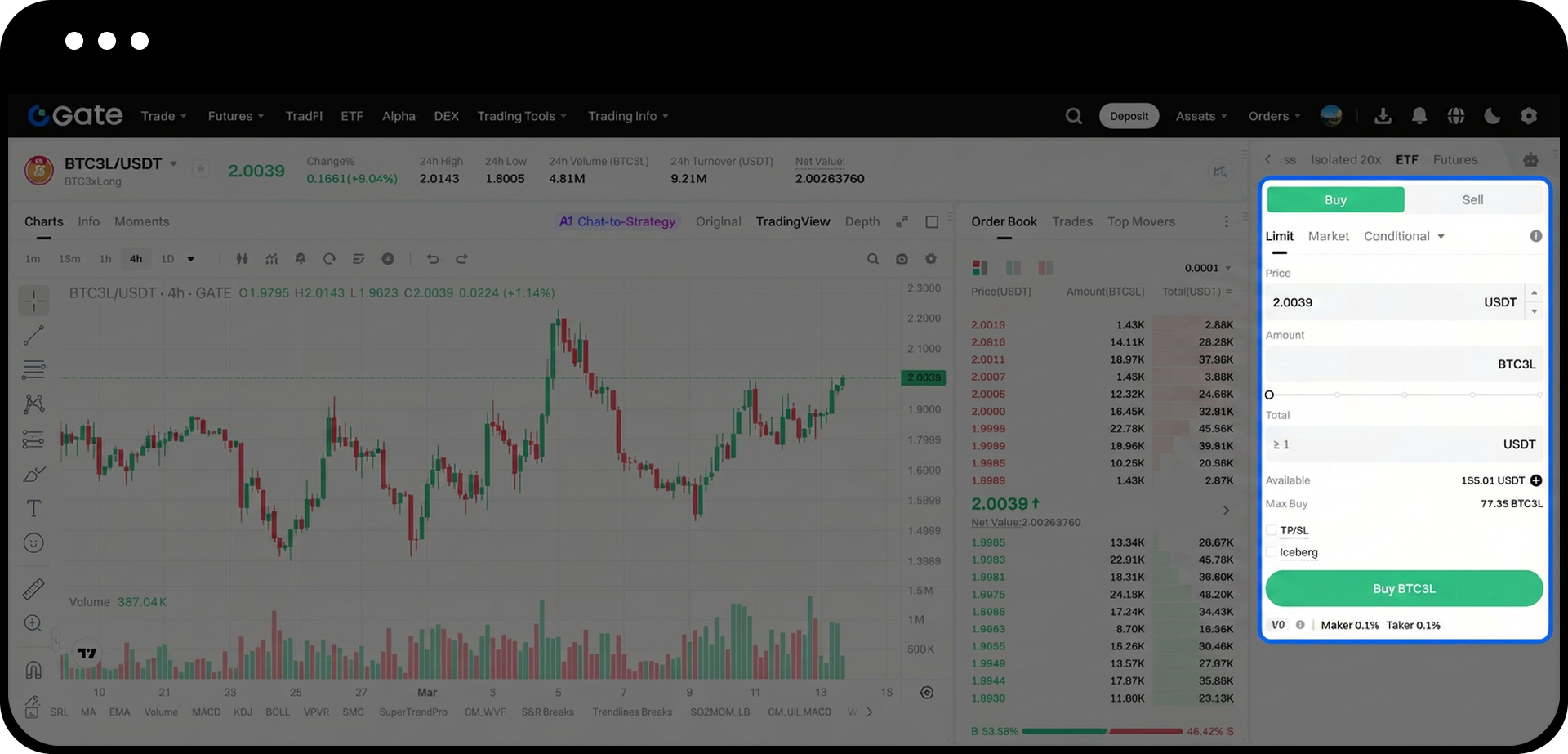
- On the trading page, enter your desired unit [Price] for the ETF.
- Enter the [Amount] you wish to purchase.
- Click the [Buy] button to submit your order.
Step 4: Monitor Your Orders and Holdings
- To check unfulfilled orders, navigate to the [Open Orders] section in the trading panel.
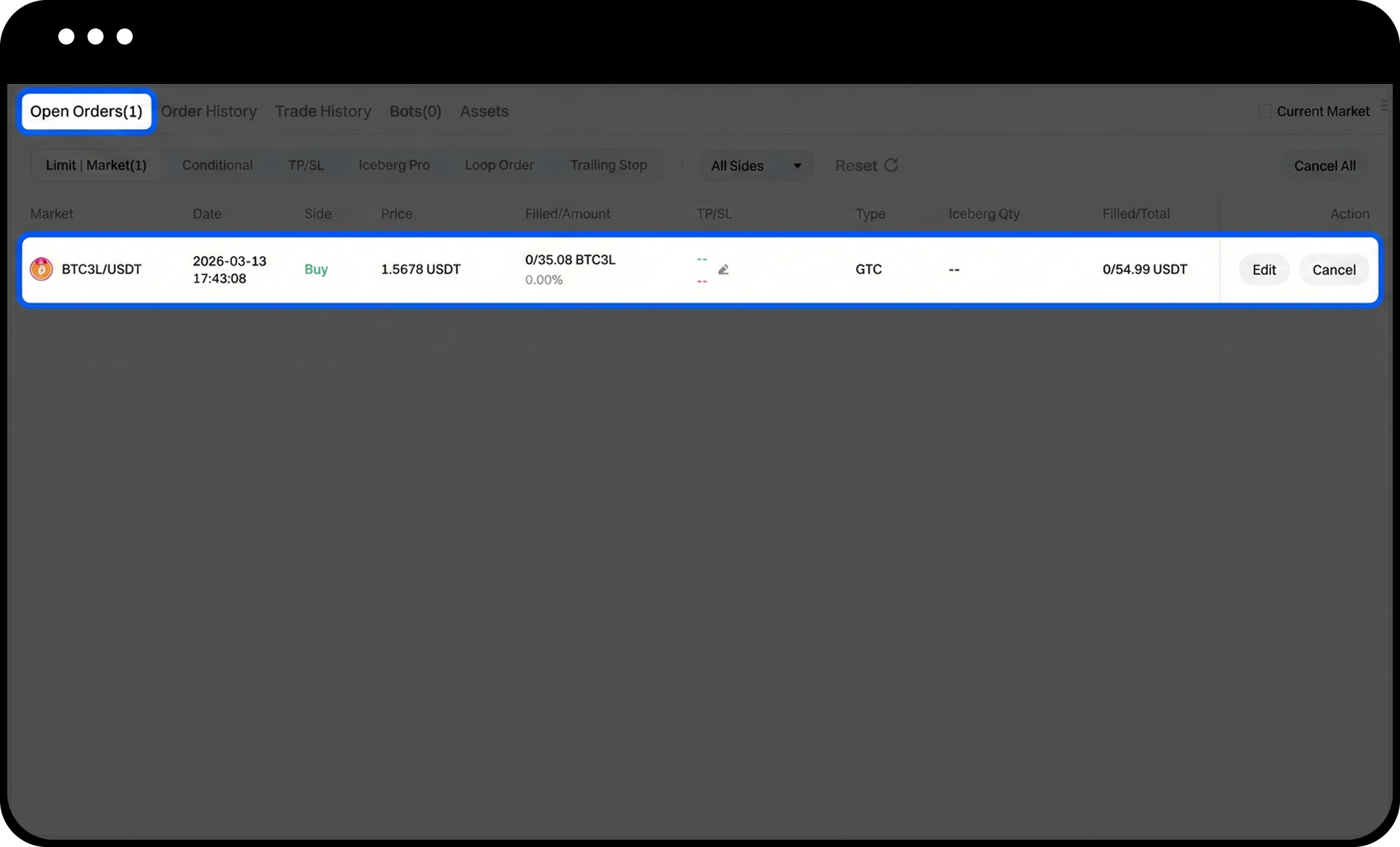
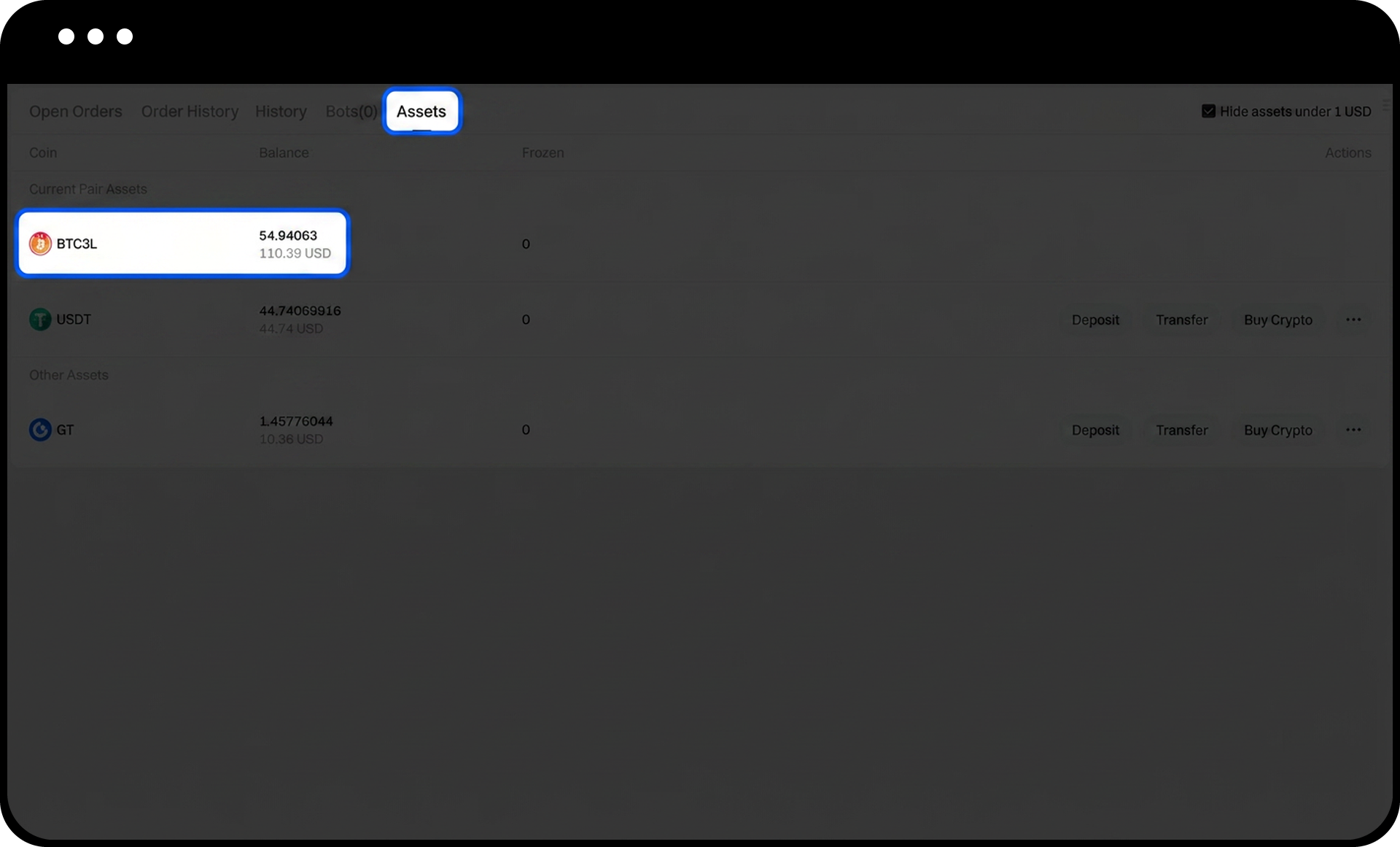
- Once your order is executed, view your ETF holdings under [Assets].
Notes
- ETF prices and availability may change rapidly based on market conditions. Always verify the current price before placing an order.
- Ensure you have sufficient funds in your trading account before attempting to purchase ETFs.
- Orders placed at market price will execute immediately at the best available price, while limit orders will only execute when the market reaches your specified price.
- Digital asset investments involve significant risk, and prices may fluctuate substantially. Make decisions cautiously based on your own financial situation and risk tolerance.
FAQ
Q1: What is the difference between buying ETFs and regular spot trading?
A: ETFs (Exchange Traded Funds) are leveraged tokens that track the performance of underlying assets with built-in leverage. Unlike regular spot trading, ETFs automatically manage leverage and rebalancing, allowing you to gain leveraged exposure without manually managing positions.
Q2: Can I sell ETFs I've purchased?
A: Yes, you can sell your ETF holdings at any time by selecting the [Sell] option on the same trading page where you purchased them. Follow the same process but choose [Sell] instead of [Buy].
Q3: Where can I view my complete ETF trading history?
A: Navigate to [Assets] to view your current ETF holdings, or check the [Order History] section to review all your past ETF transactions, including completed and cancelled orders.
Disclaimer
The content provided herein is for reference and educational purposes only and does not constitute any financial, investment, trading, or legal advice, nor does it constitute an offer or solicitation to buy or sell any digital assets. Gate makes no express or implied representations or warranties regarding the accuracy, completeness, or timeliness of the information contained herein. Product features, interfaces, rules, and fee structures may be updated or adjusted at any time. Please refer to the latest announcements and the actual information displayed on the Gate platform for the most accurate details.
Digital asset investments involve significant risk, and prices may fluctuate substantially. You may lose the entire amount of your investment. Please make decisions cautiously based on your own financial situation and risk tolerance after fully understanding the associated risks. If necessary, you are advised to consult an independent professional financial or legal advisor.
For more information about potential risks, please refer to Gate's Risk Disclosure and User Agreement.
