


View Product Subscriptions, Redemptions, and Performance
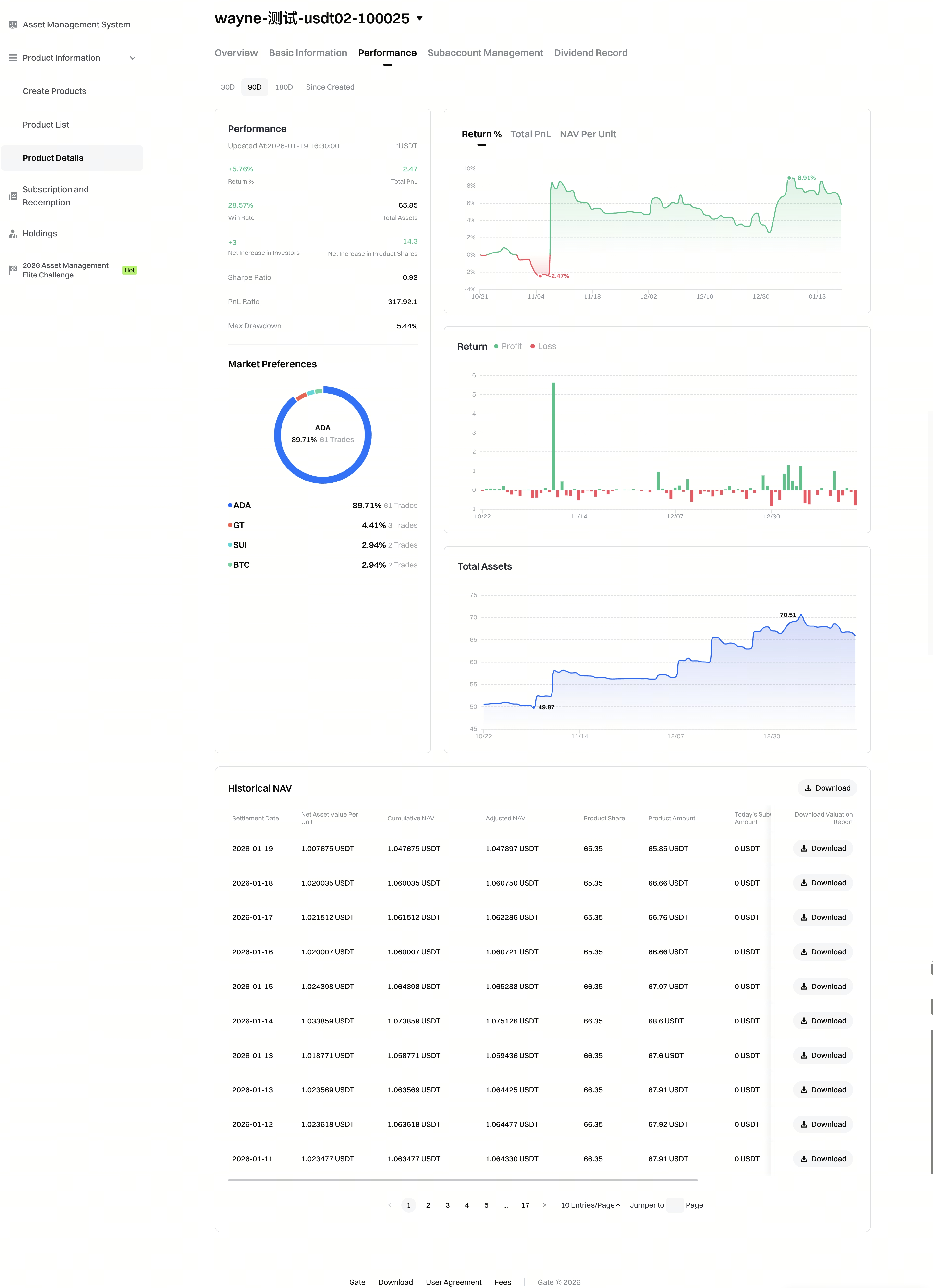
In the [Product Details] - [Performance] tab, you can have a comprehensive view of its key metrics and historical trends. Track key indicators and trends over different periods, view a daily breakdown of subscriptions, redemptions, and NAV, and download detailed valuation reports for further analysis.
Edit Product Basic Information
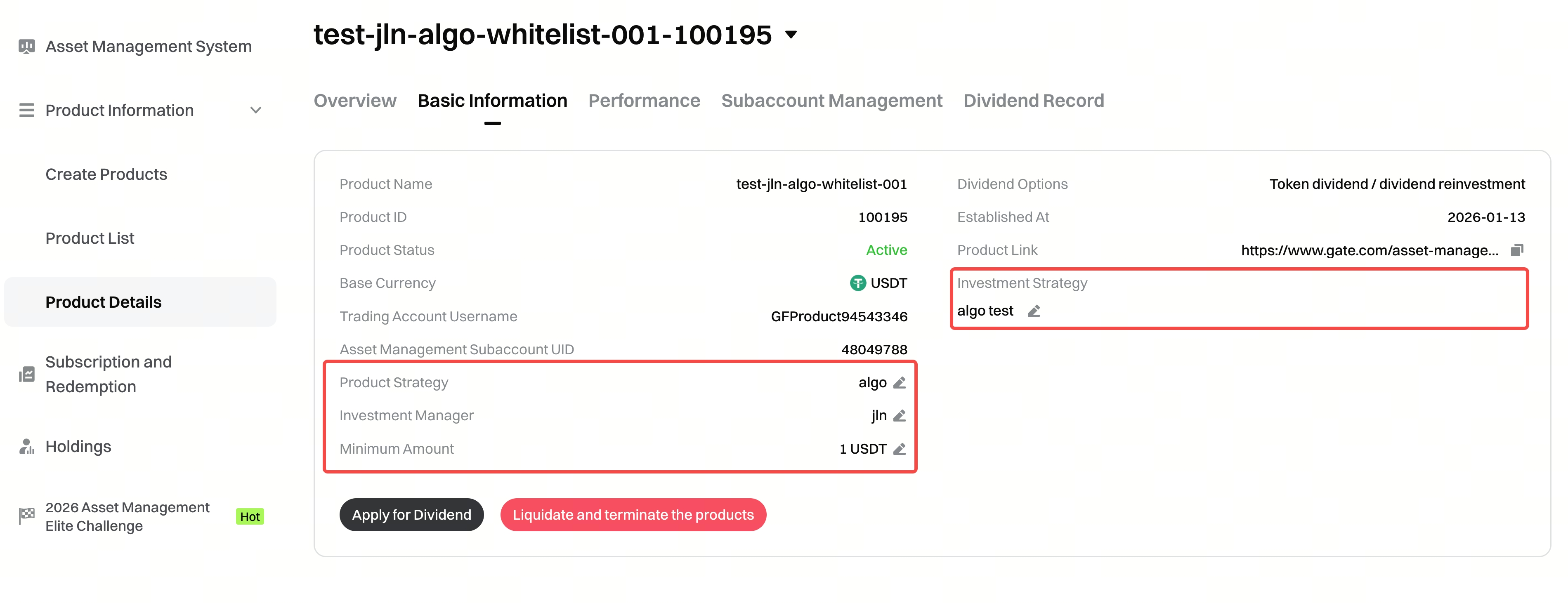
In the [Product Details] - [Basic Information] tab, you can modify the product strategy, investment manager, minimum subscription amount, and investment strategy of the product. The changes will be reflected immediately on the investors' purchase page.
Handling Net Redemptions
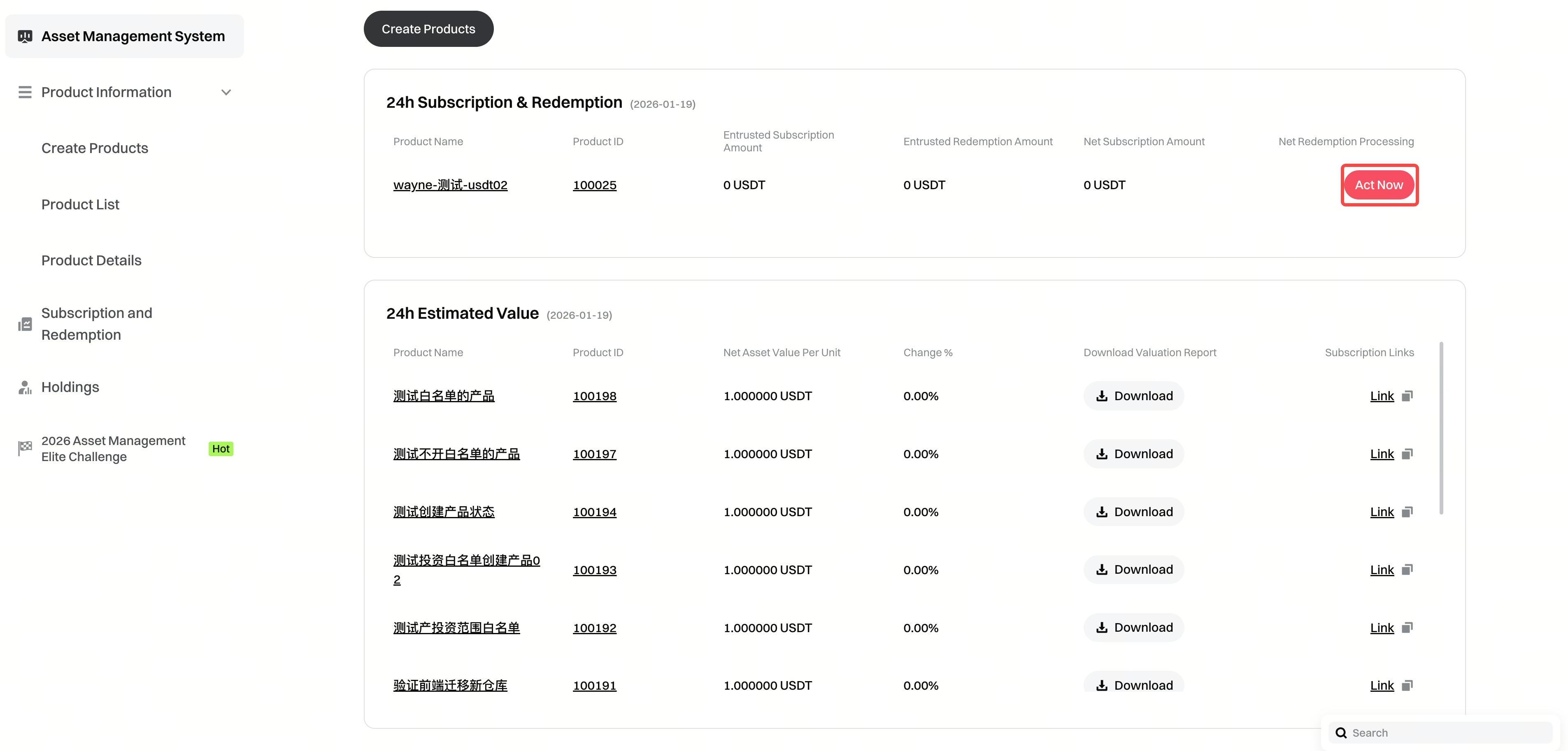
Step 1: During the daily valuation settlement of a product, if its subscription amount is less than its redemption amount, the product is considered to be in a net redemption state for that day. This status will be prominently displayed to the fund manager on both the asset management system homepage and the product details page.
Asset Management System Homepage
Product Detail Page
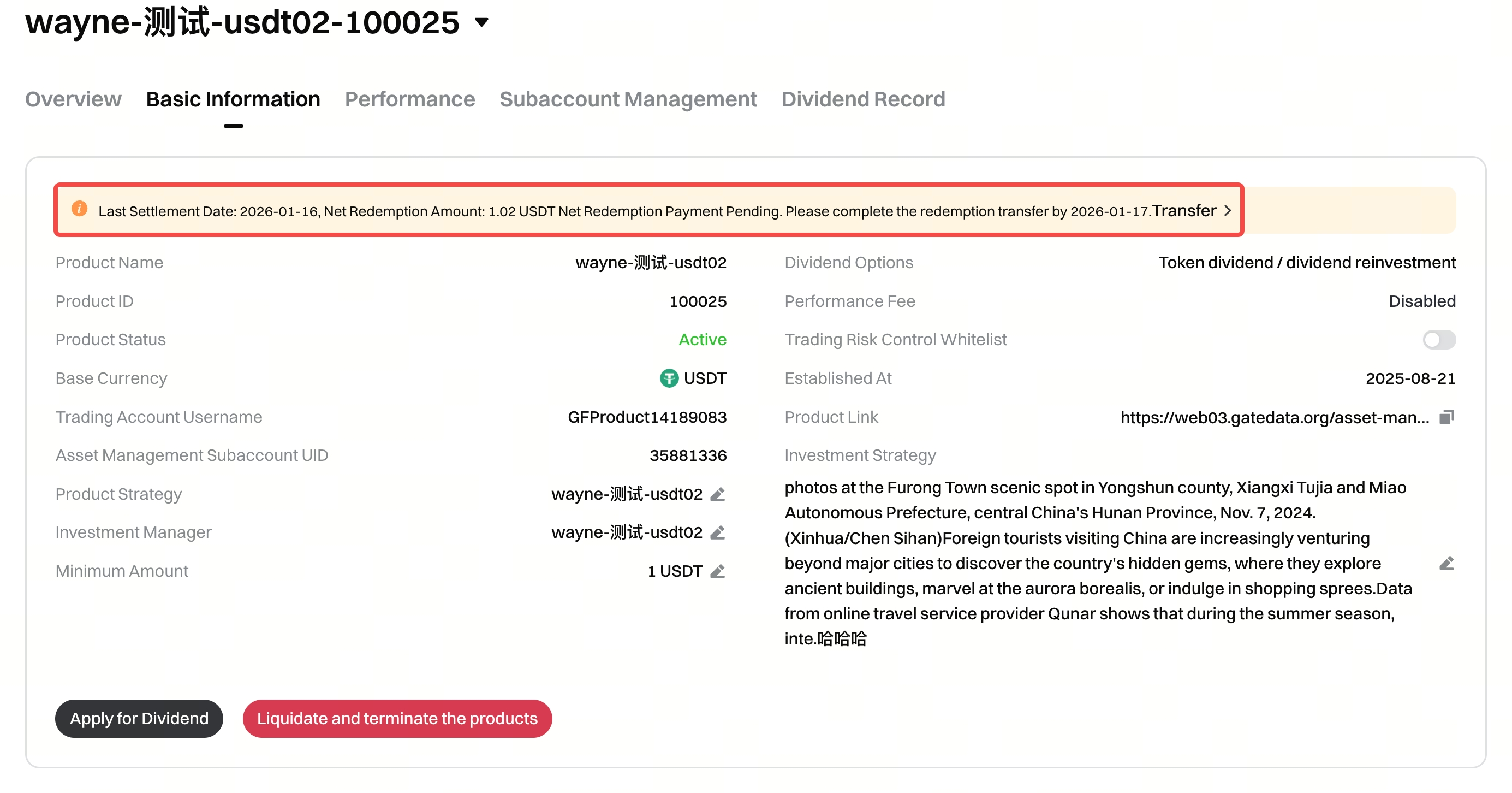
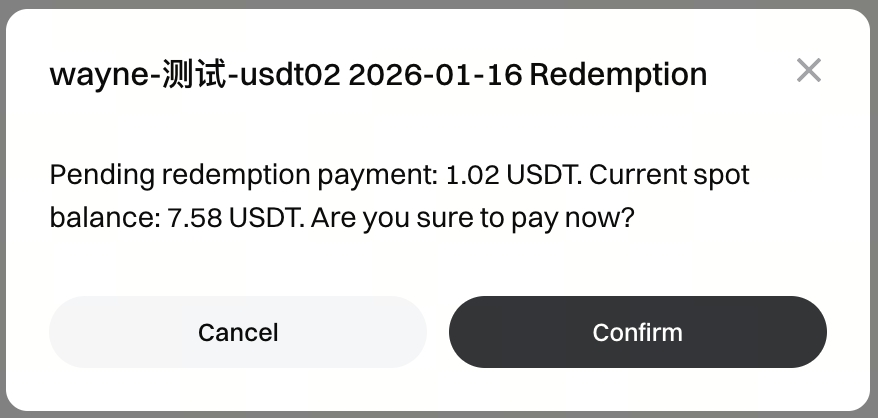
Step 2: Click “Act Now” or “Transfer”, and then click the confirm button to complete the payment of investors’ net redemptions.
View Investors' Subscription, Redemption, and Holdings Information
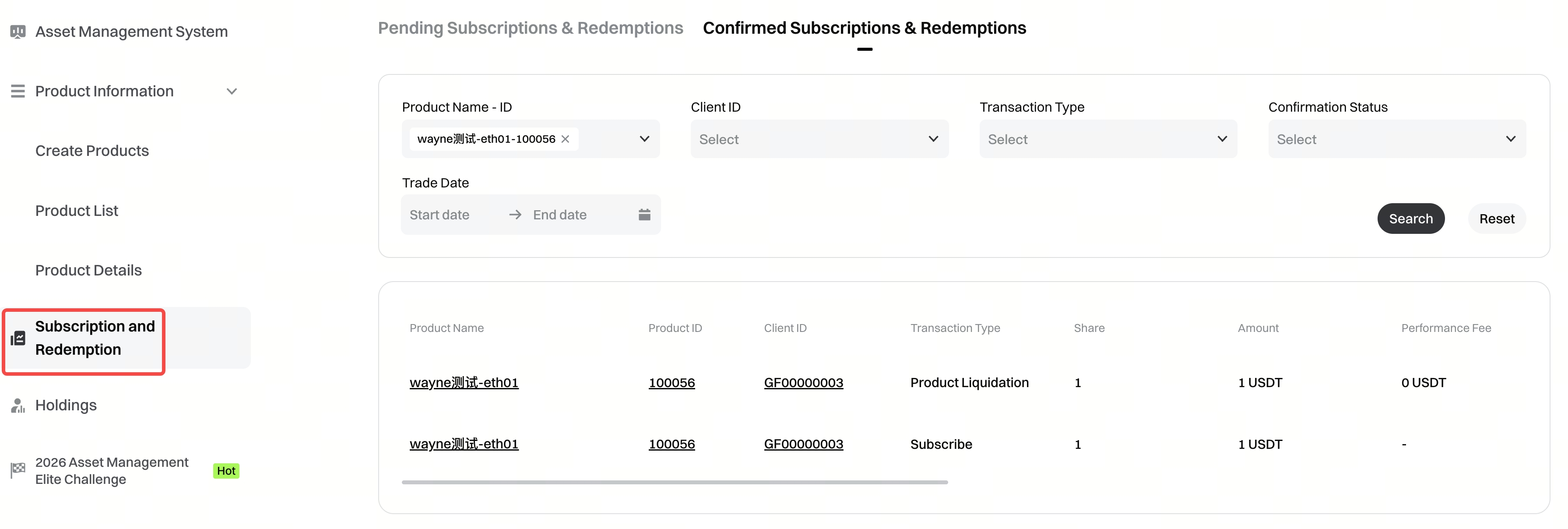
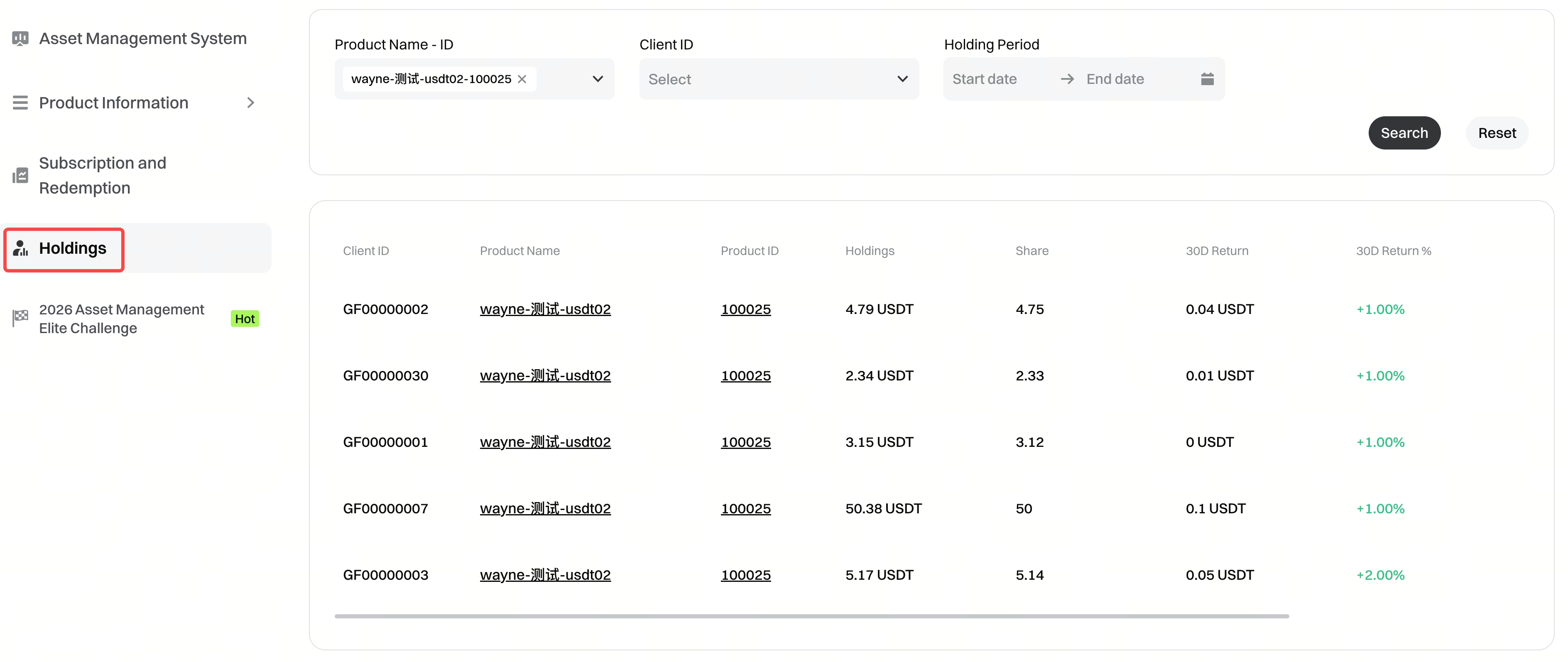
Through the [Subscription and Redemption] page and the [Holdings] page in the left menu, you can view and search investors’ subscription and redemption activities. You can also check the units, amounts, and profit and loss for each investor, helping you to manage relationships and deliver better service.
Subscription and Redemption Page
Investor Holding Page
Disclaimer
The content provided herein is for reference and educational purposes only and does not constitute any financial, investment, trading, or legal advice, nor does it constitute an offer or solicitation to buy or sell any digital assets. Gate makes no express or implied representations or warranties regarding the accuracy, completeness, or timeliness of the information contained herein. Product features, interfaces, rules, and fee structures may be updated or adjusted at any time. Please refer to the latest announcements and the actual information displayed on the Gate platform for the most accurate details.
Digital asset investments involve significant risk, and prices may fluctuate substantially. You may lose the entire amount of your investment. Please make decisions cautiously based on your own financial situation and risk tolerance after fully understanding the associated risks. If necessary, you are advised to consult an independent professional financial or legal advisor.
For more information about potential risks, please refer to Gate's Risk Disclosure and User Agreement.
