


The Merchant Sub-Account Management feature is designed to provide merchants with more efficient and flexible client channel management solutions. This feature not only helps merchants clearly differentiate and manage transactions from various channels but also allows for independent control and real-time monitoring of each sub-account. Merchants can optimize cash flow, improve settlement efficiency, and gain more accurate transaction data analysis using this feature. Sub-accounts can be created and managed through the merchant backend or via API.
Merchant Dashboard
Step 1: Log in to the merchant portal (https://www.gate.com/zh/merchant#/get-started). On the backend page, click [Client], then click [Add].
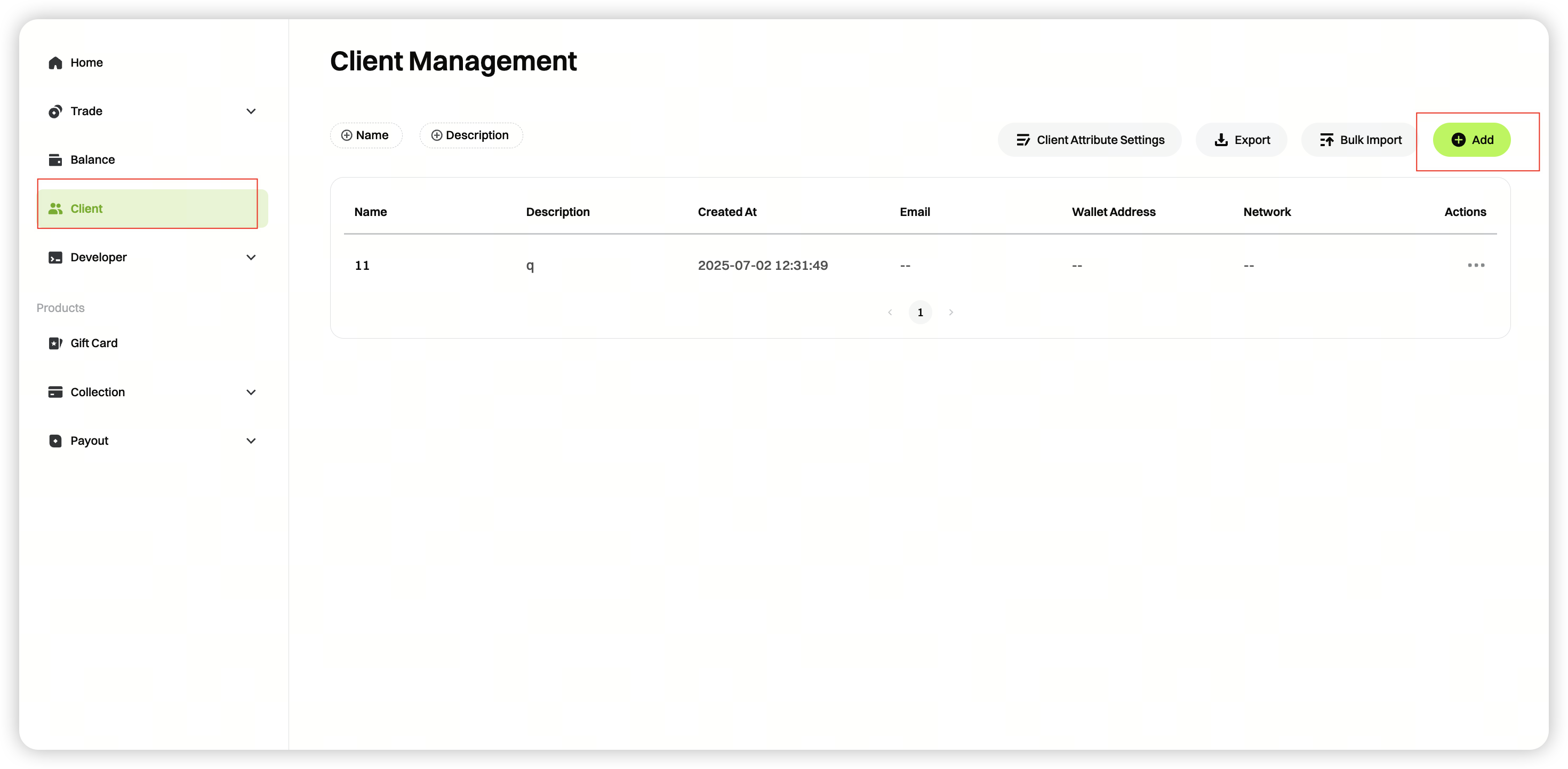
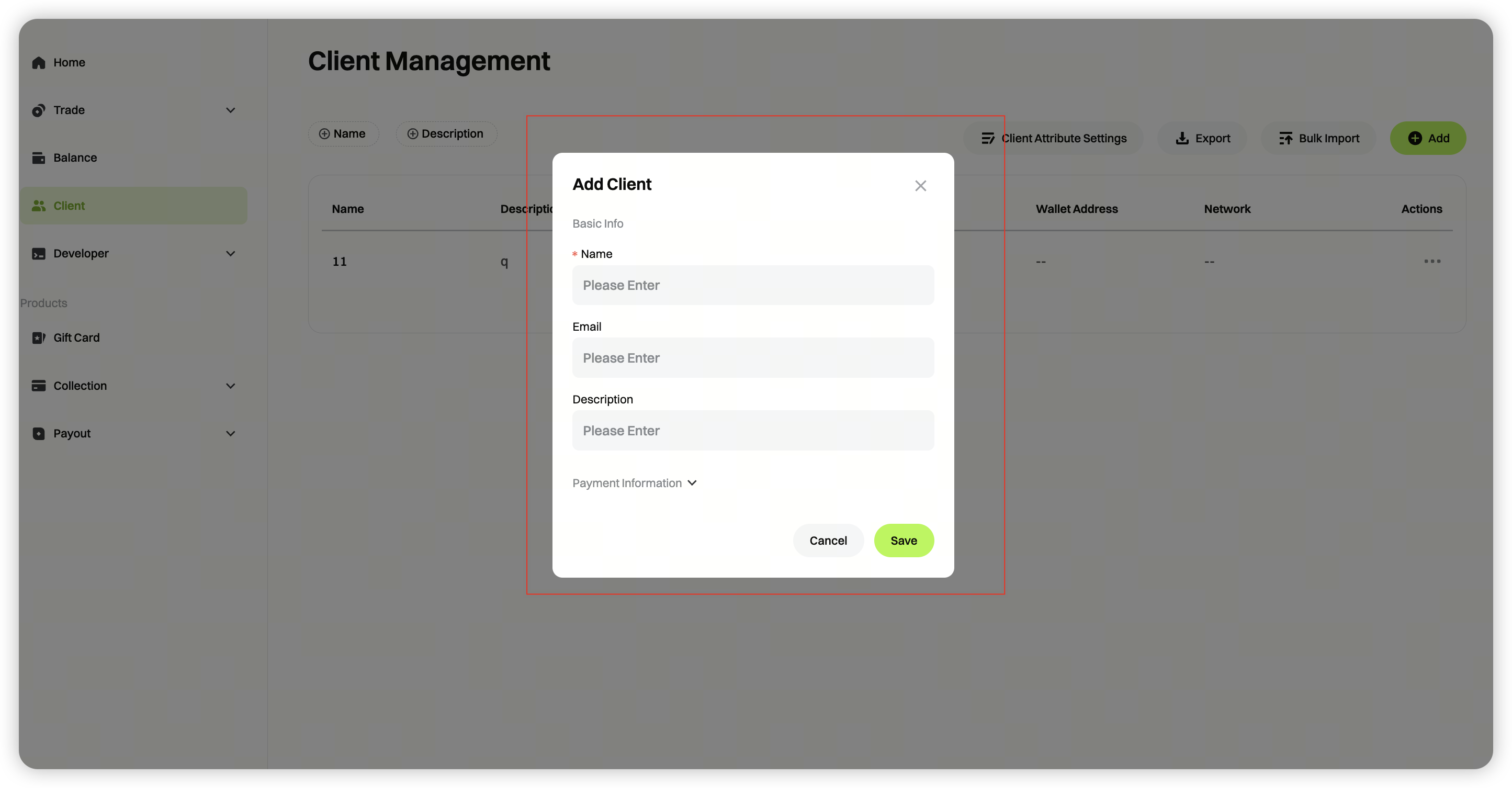
Step 2: Add a customer: In the pop-up window, fill in the customer information. After completing the form, click [Save] to finish adding the customer.
Name: Enter the channel name
Email: Enter the channel email (optional)
Description: Other information about the channel (optional)
Wallet address: The wallet address the customer uses to receive payments; select the corresponding blockchain network
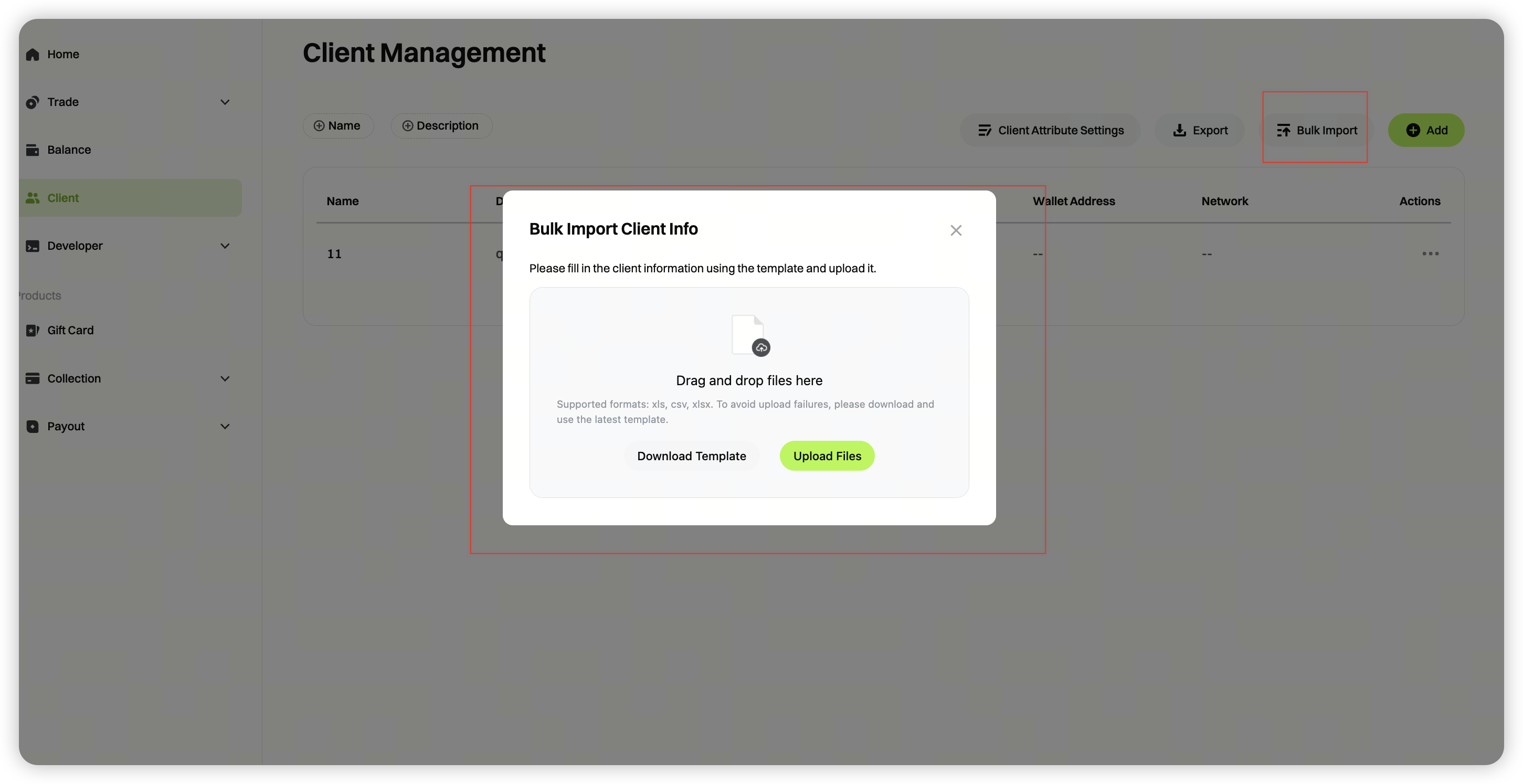
If you need to add multiple customer channels at once, click [Bulk Upload], download and complete the template file, then upload it to quickly manage customer channels in bulk.
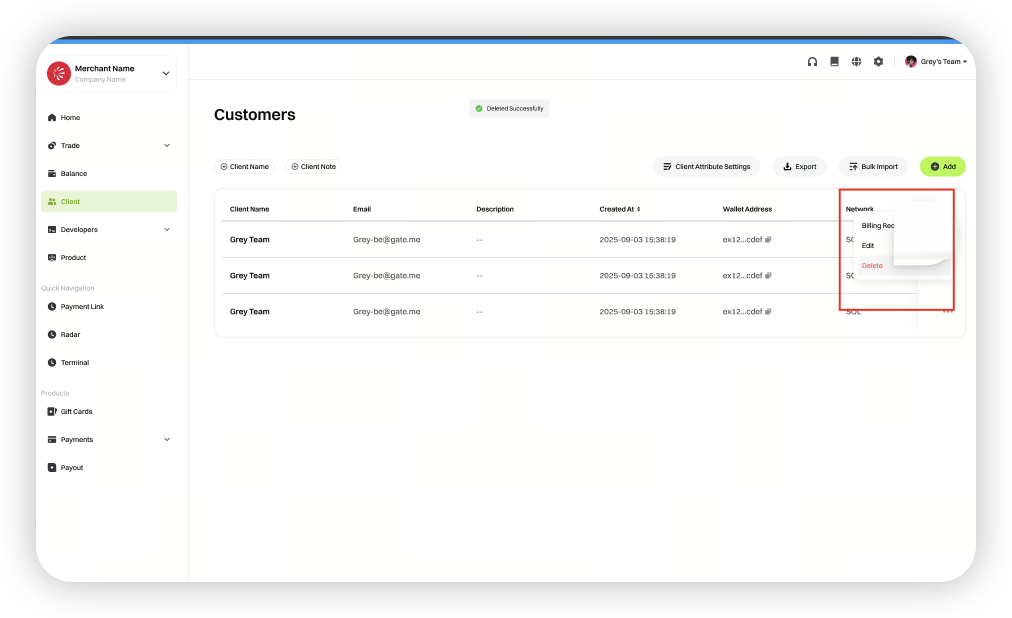
Step 3: After saving successfully, you can use the actions section to view the billing records of the added customer. Click [Edit] to modify customer information. Click [Delete] to remove the corresponding sub-account.
### API Instruction
Step: Add a client Channel
First, merchants need to add a client channel using the [Client Management] feature.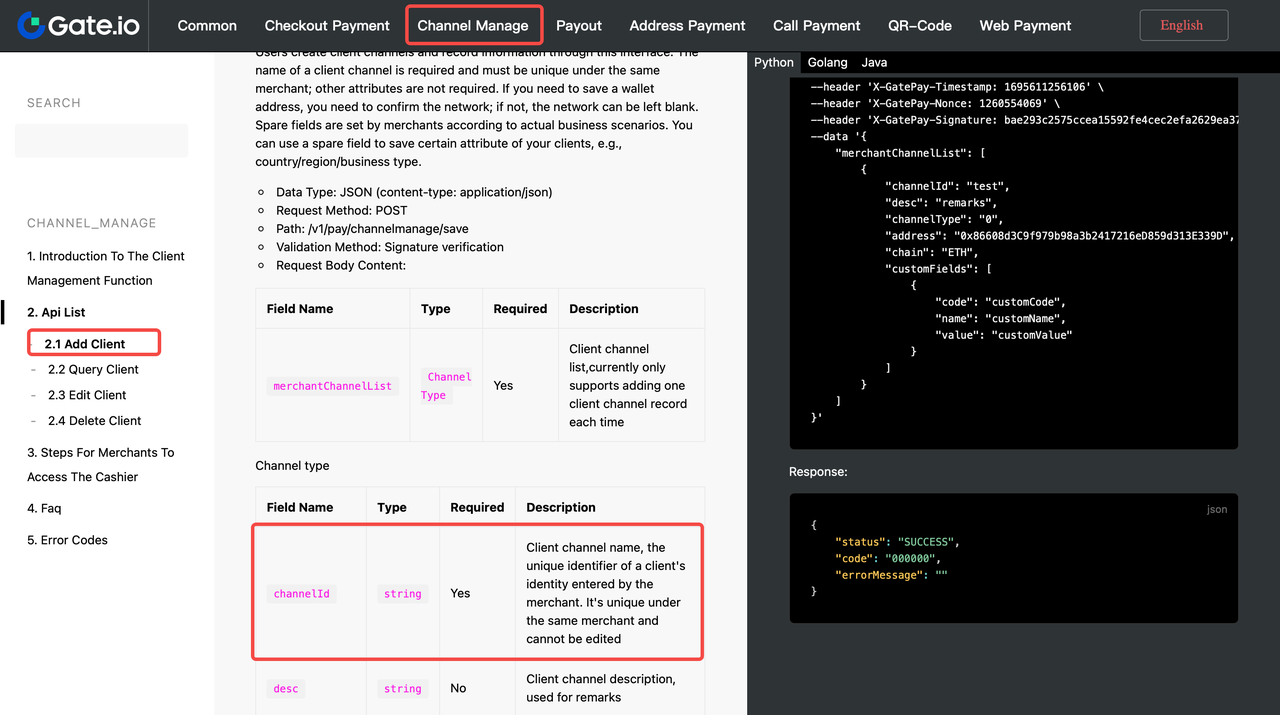
Step 2: Upload the channelid parameter to distinguish the channels
When creating an order, merchants need to upload the channelid parameter to help the system distinguish between different client channels. Transaction records for each channel will be synchronized to the merchant backend for easier management and analysis.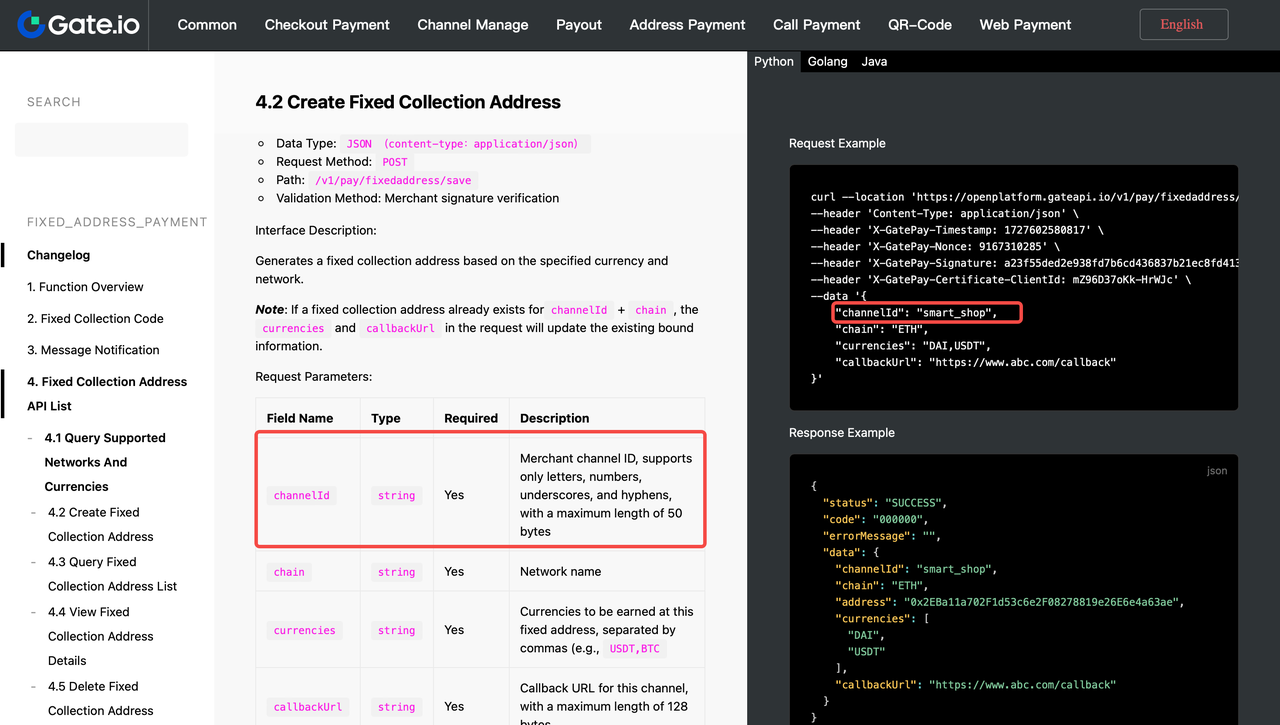
Step 3: View the complete API documentation
https://www.gate.com/docs/gatepay/channel_manage/en
