


商品用サブアカウント管理
[商品詳細]-[サブアカウント管理]タブでは、各商品ごとのサブアカウント情報を確認できます(商品ごとに最大二十個のサブアカウント)。新しいサブアカウントの作成、資金振替、クロス取引機能の有効化、サブアカウントの凍結または凍結解除、ならびに手数料控除にGTを使用するオプションの有効化または無効化が可能です。
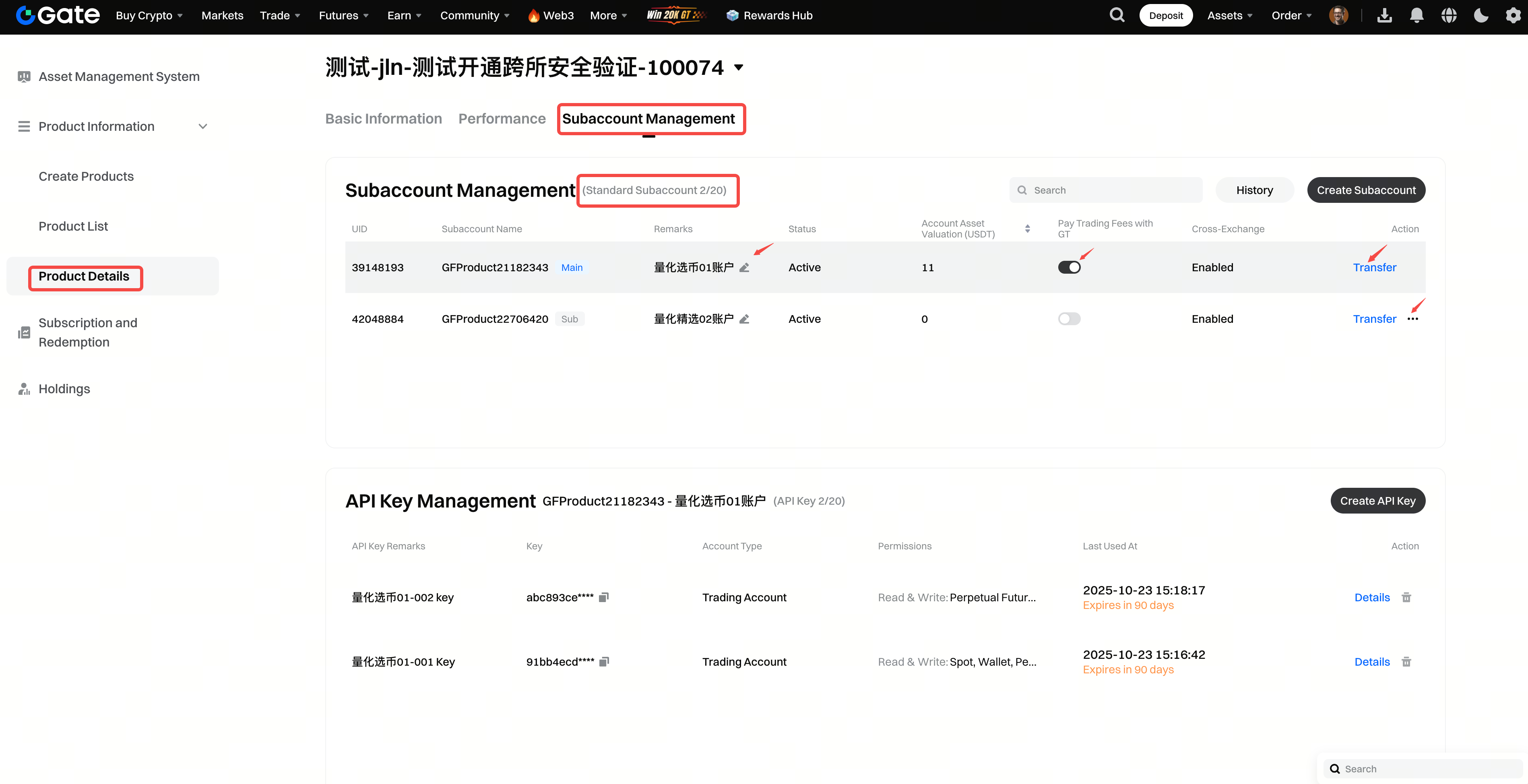
サブアカウント間の資金振替
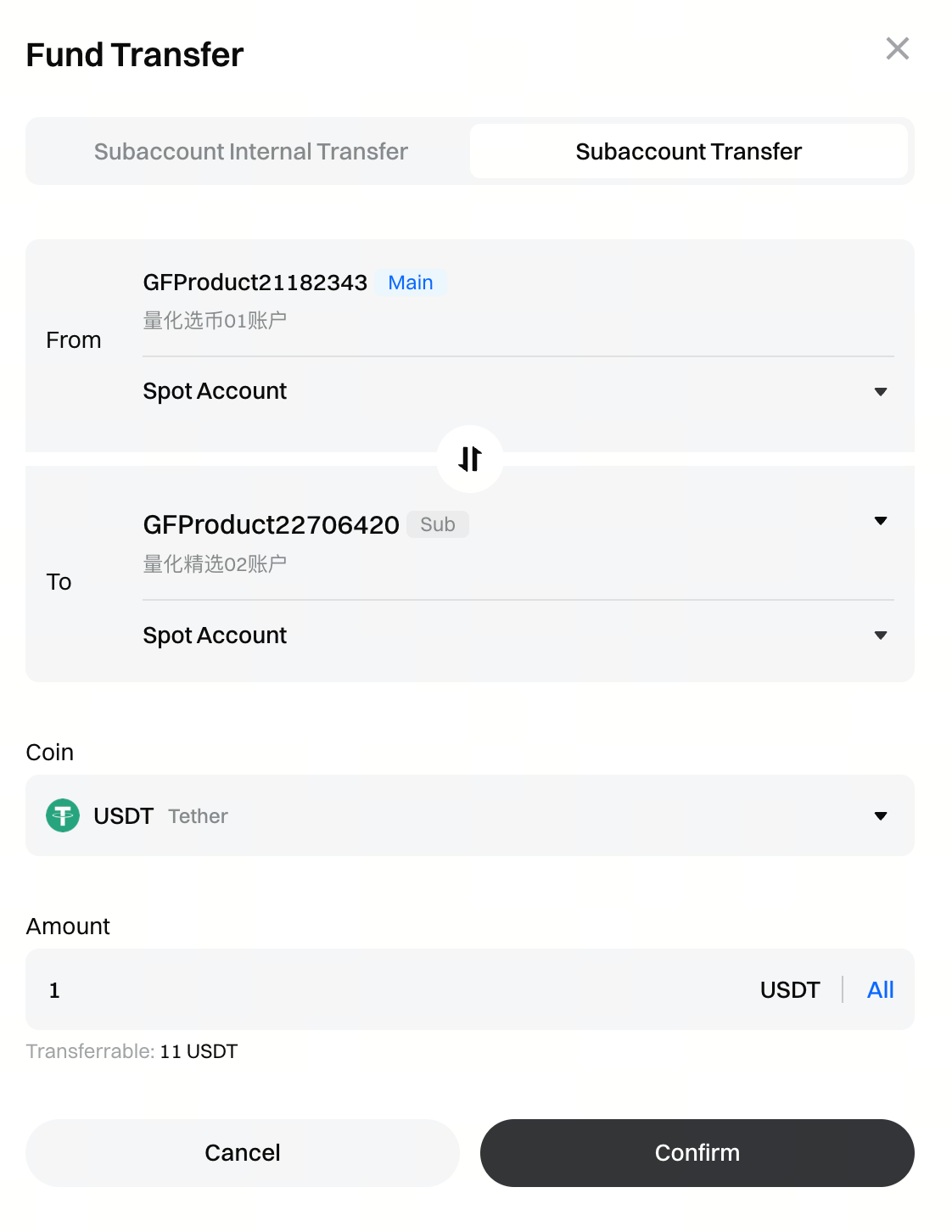
資産管理プラットフォームでは、調達された資金はデフォルトで当該商品のメインサブアカウントへ振替されます。[サブアカウント管理]ページでは、対象のサブアカウントを選択し、操作パネルの[振替]をクリックすることで、内部およびサブアカウント間の資金移動を有効化できます。これにより、資金管理の効率化および商品内リスクの分離が可能になります。
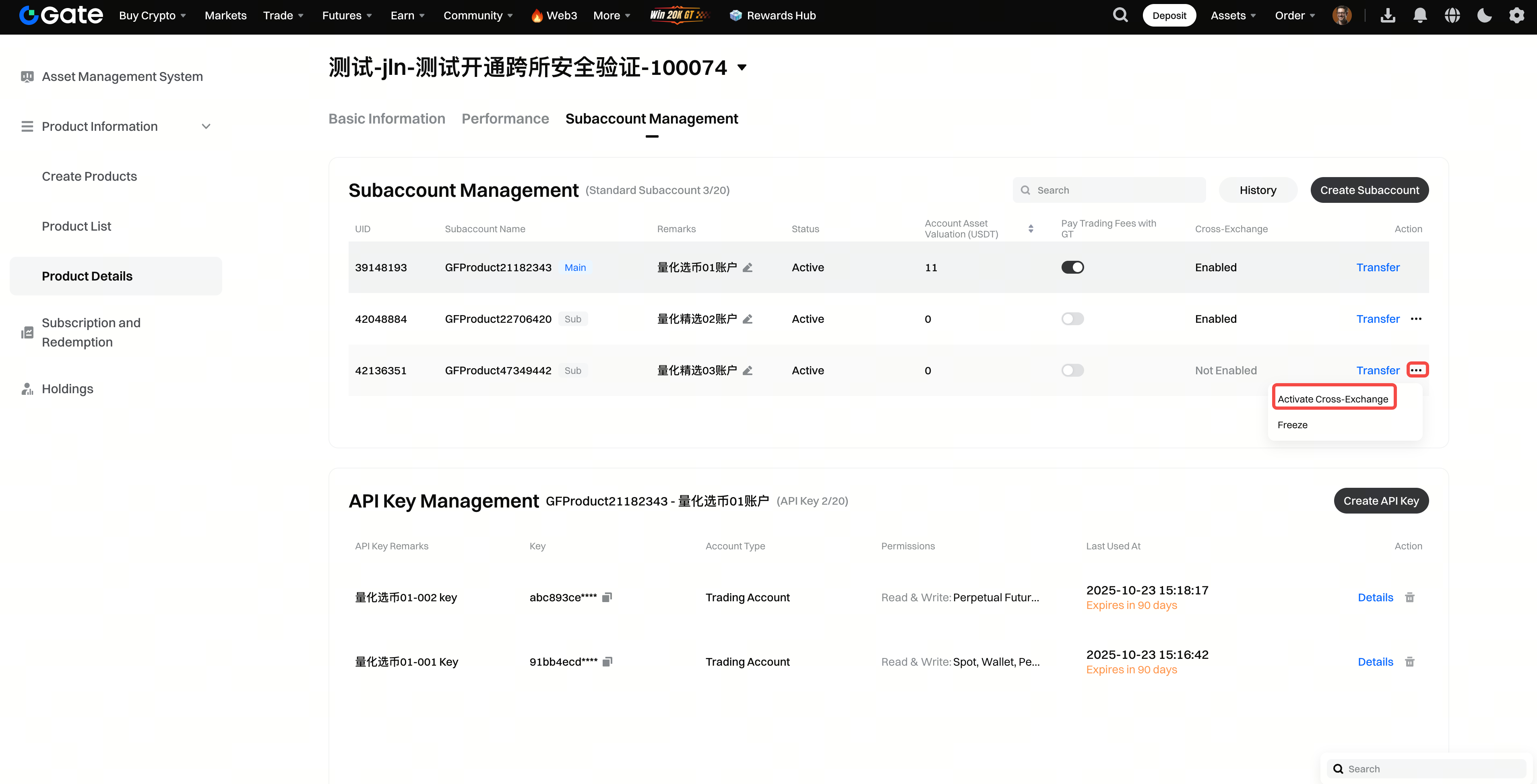
サブアカウントのクロス取引有効化
ステップ 1:[サブアカウント管理]ページで対象のサブアカウントを選択し、操作パネルの[…]をクリックして、[クロス取引を有効化]を選択してください。有効化後、システムは当該サブアカウントにクロス取引アカウントを自動的に追加します。その後、クロス取引APIを通じて、サブアカウントの現物アカウントからクロス取引アカウントへ資金を振替できます。クロス取引は、Binance、OKX、Gateを含む複数の取引所に対応しており、現物およびUSDT無期限先物取引をサポートしています(CrossEx:https://www.gate.com/announcements/article/47918)。
ステップ 2:[サブアカウント管理]ページで対象のサブアカウントを選択すると、APIキー情報が表示されます(サブアカウントごとに最大二十個のAPIキー)。APIを通じて投資を実行するために、APIキーの作成、編集、または削除が可能です。
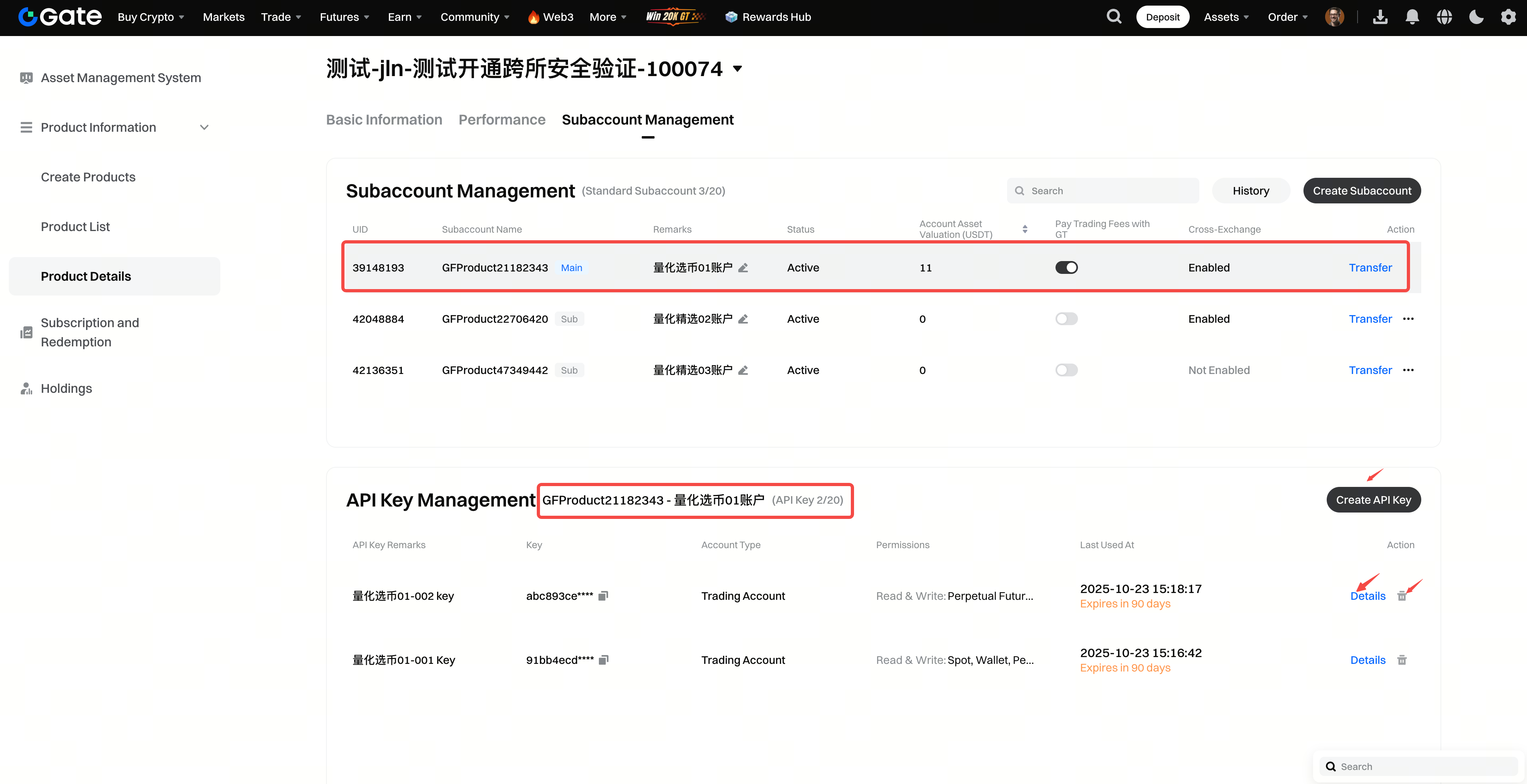
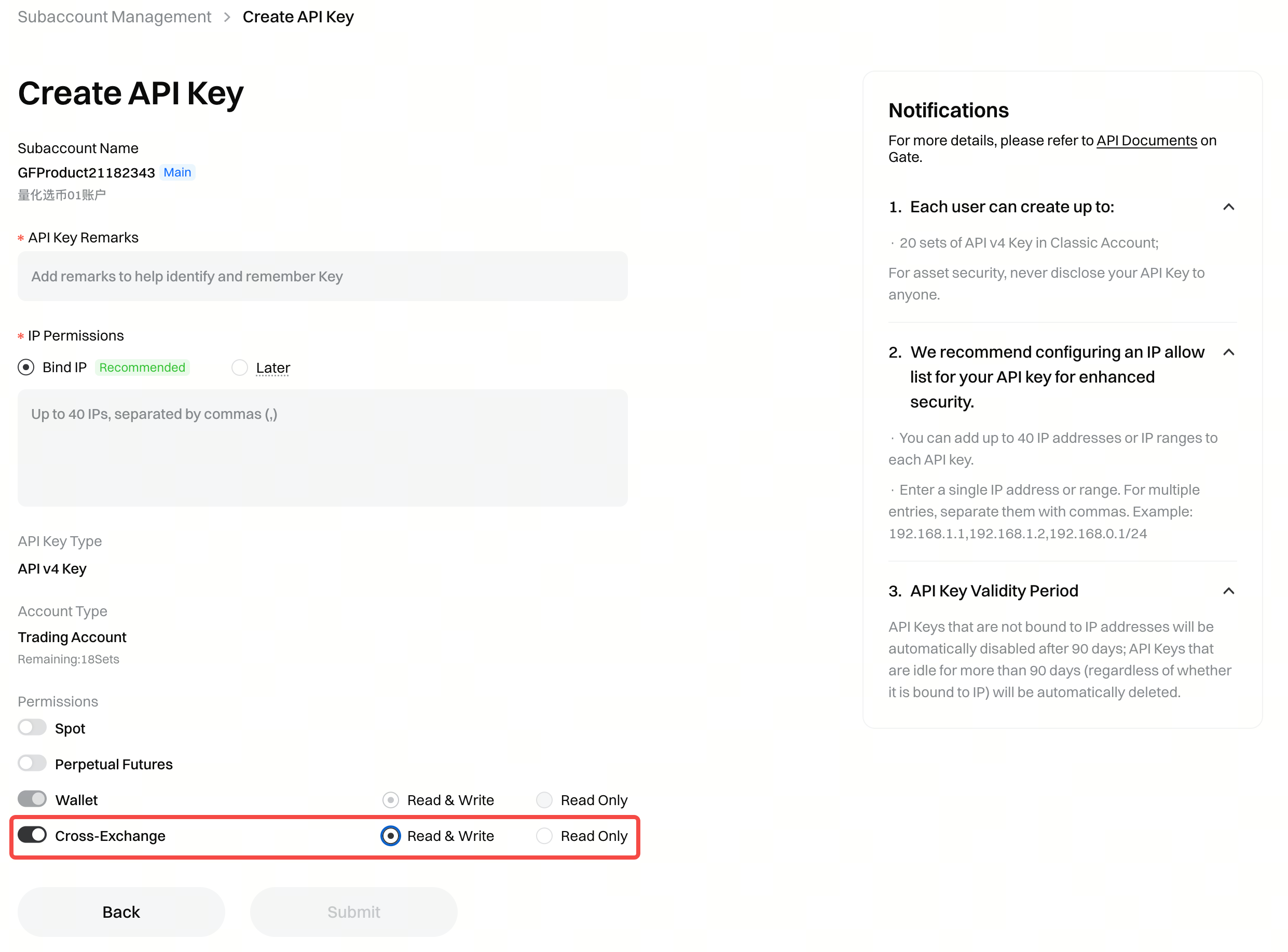
ステップ 3:クロス取引機能が有効化されている場合、APIキーに対してクロス取引の取引権限を設定できます(本機能が有効化されていない場合、APIキーはクロス取引に使用できません)。
本コンテンツは参考および教育目的のみであり、金融、投資、取引、または法律に関する助言を構成するものではなく、いかなるデジタル資産の売買の申込みまたは勧誘を構成するものでもありません。Gateは、本コンテンツに含まれる情報の正確性、完全性、適時性について、明示または黙示のいかなる表明または保証も行いません。商品機能、インターフェース、ルール、手数料体系は、いつでも更新または調整される場合があります。最も正確な詳細については、最新のお知らせおよびGateプラットフォーム上に表示される実際の情報をご参照ください。
デジタル資産への投資には重大なリスクが伴い、価格は大幅に変動する可能性があります。投資額の全額を失う可能性があります。関連するリスクを十分に理解したうえで、ご自身の財務状況とリスク許容度に基づき、慎重に判断してください。必要に応じて、独立した専門の金融または法律アドバイザーへ相談することを推奨します。
想定されるリスクの詳細については、Gateのリスク開示およびユーザー契約をご参照ください。
