Шаг 1: Регистрация аккаунта Gate
Пожалуйста, зарегистрируйте аккаунт Gate в приложении Gate или на официальном сайте (https://www.gate.com/) и пройдите верификацию KYB.
Примечание: этот аккаунт также будет использоваться для зачисления и вывода средств продавца.
Шаг 2: Зарегистрировать торговый аккаунт
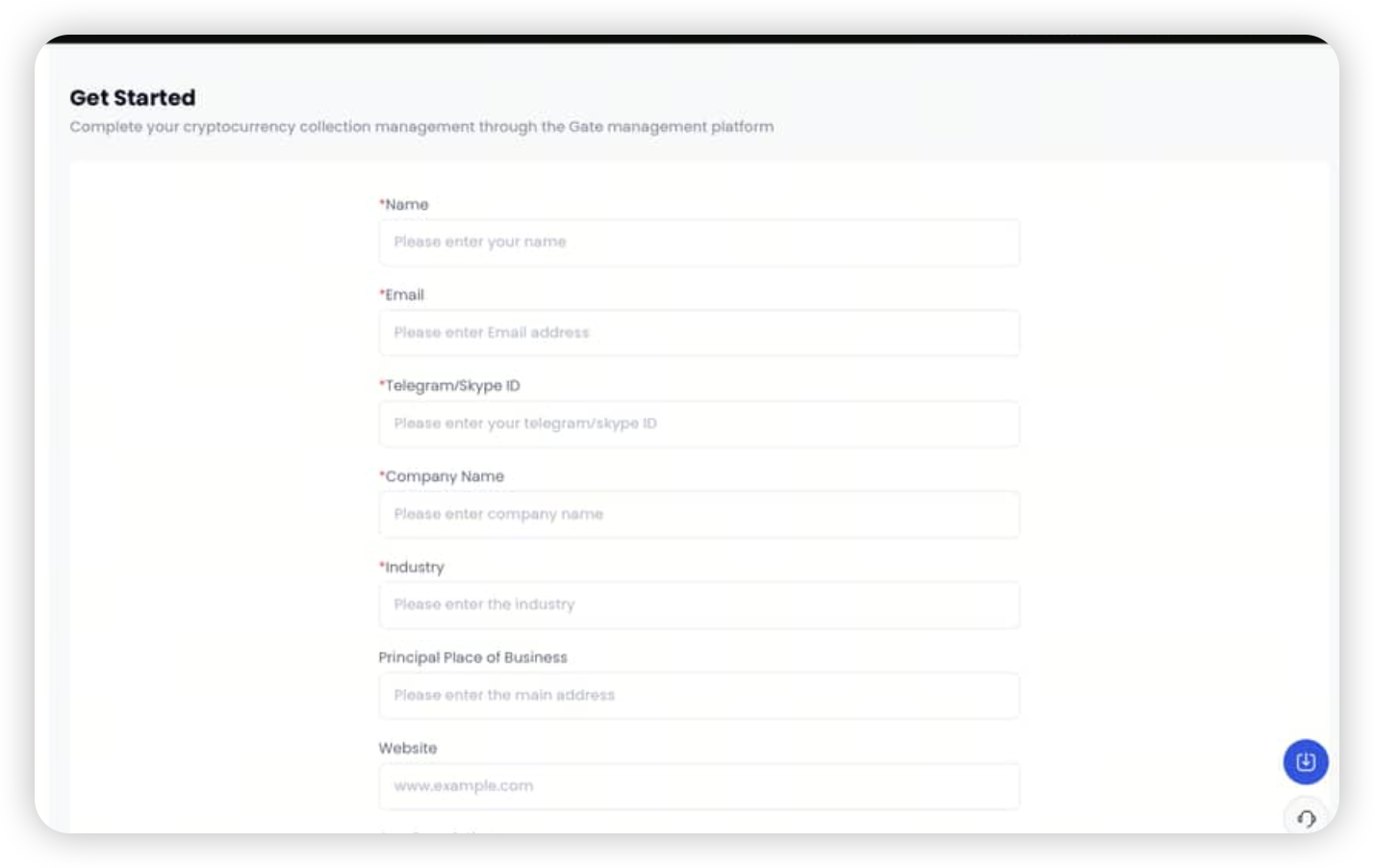
Перейдите на эту страницу: https://www.gate.com/pay-merchant, используйте Gate UID, зарегистрированный на шаге 1, чтобы активировать свой торговый счет и заполните необходимую информацию.
Шаг 3: Вывод средств с панели управления продавца
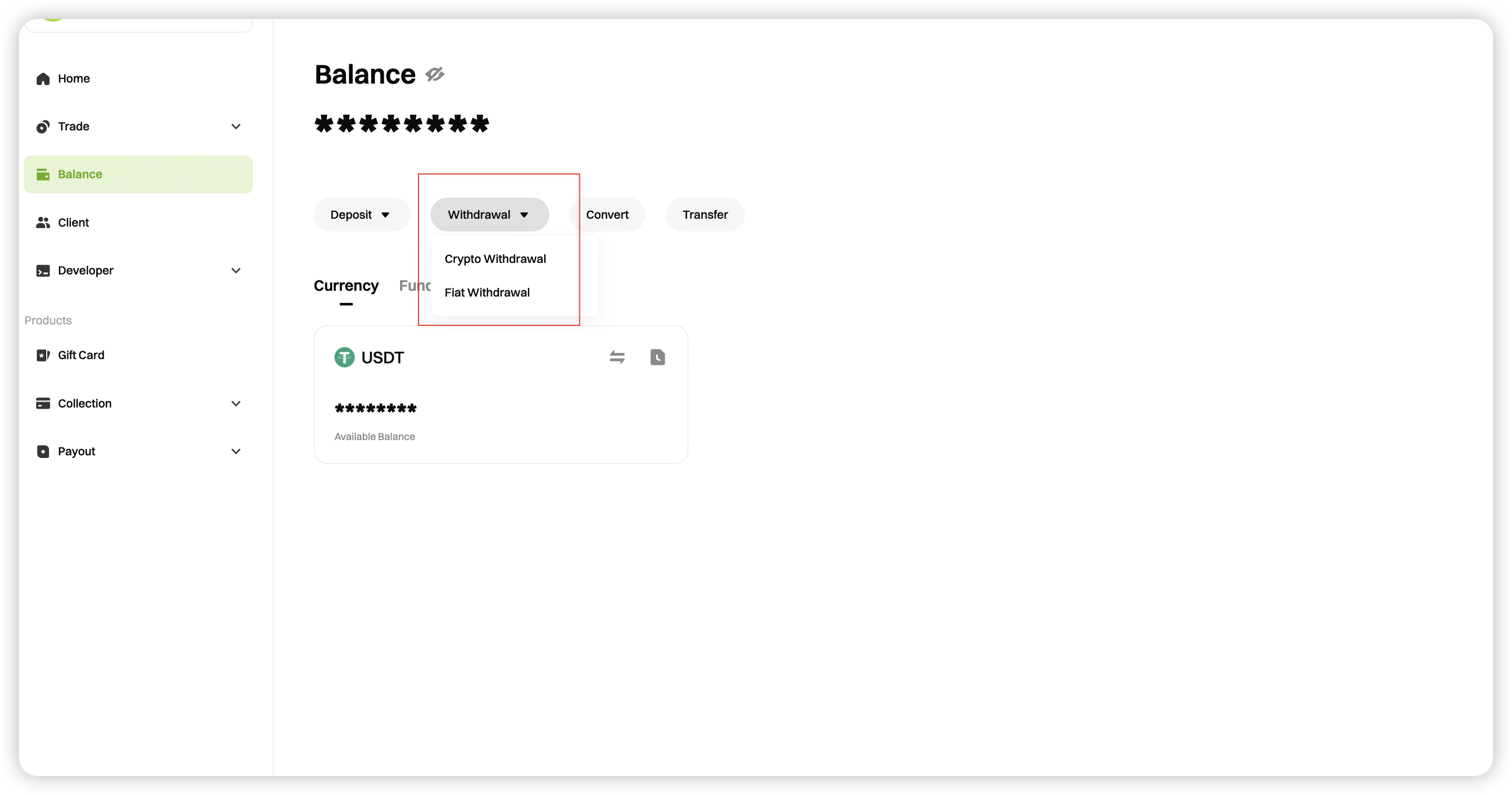
После подтверждения вашего торгового счета войдите в панель управления продавца, нажмите [Баланс] - [Вывод] и выберите [Вывод фиатных средств].
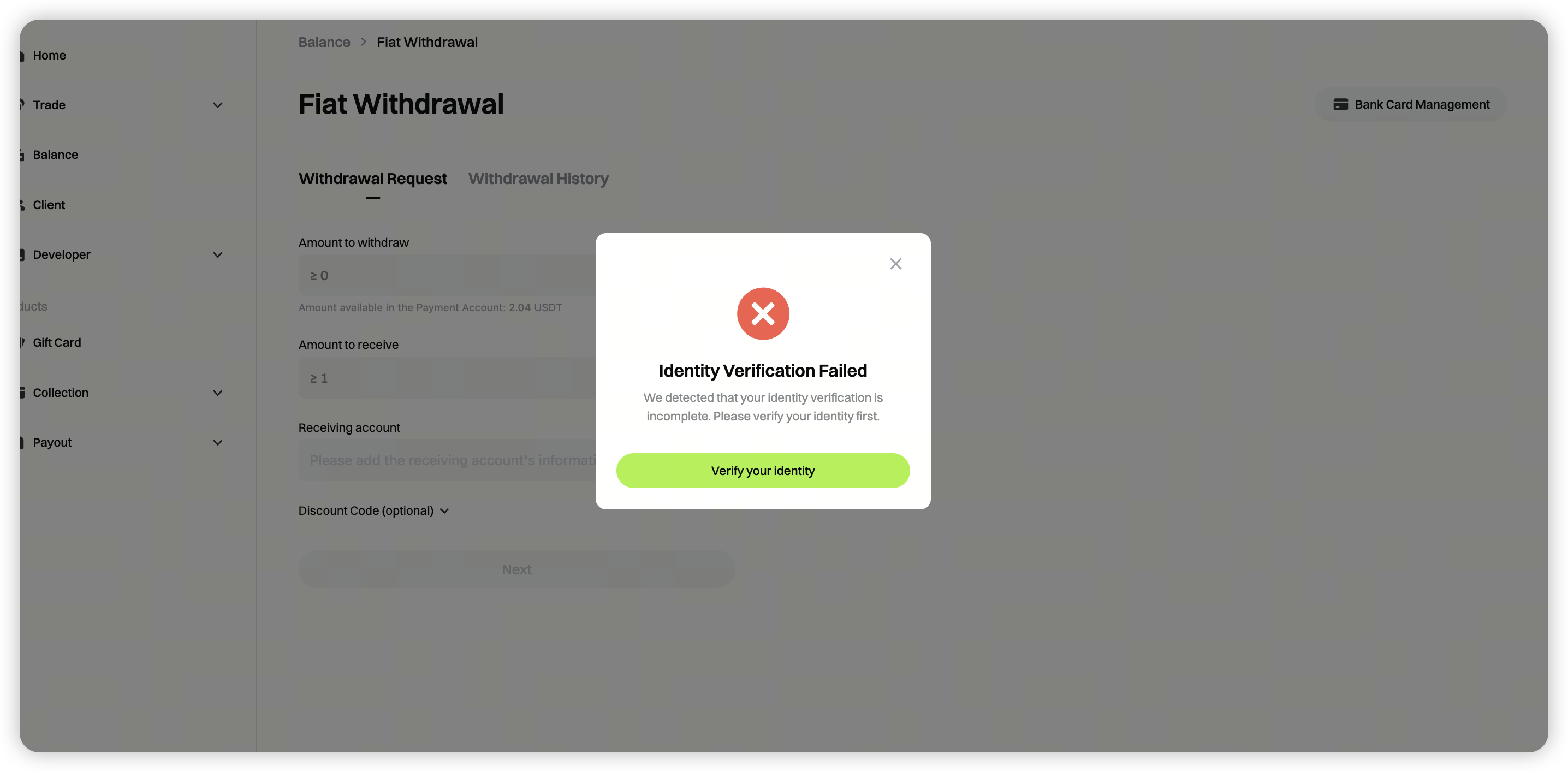
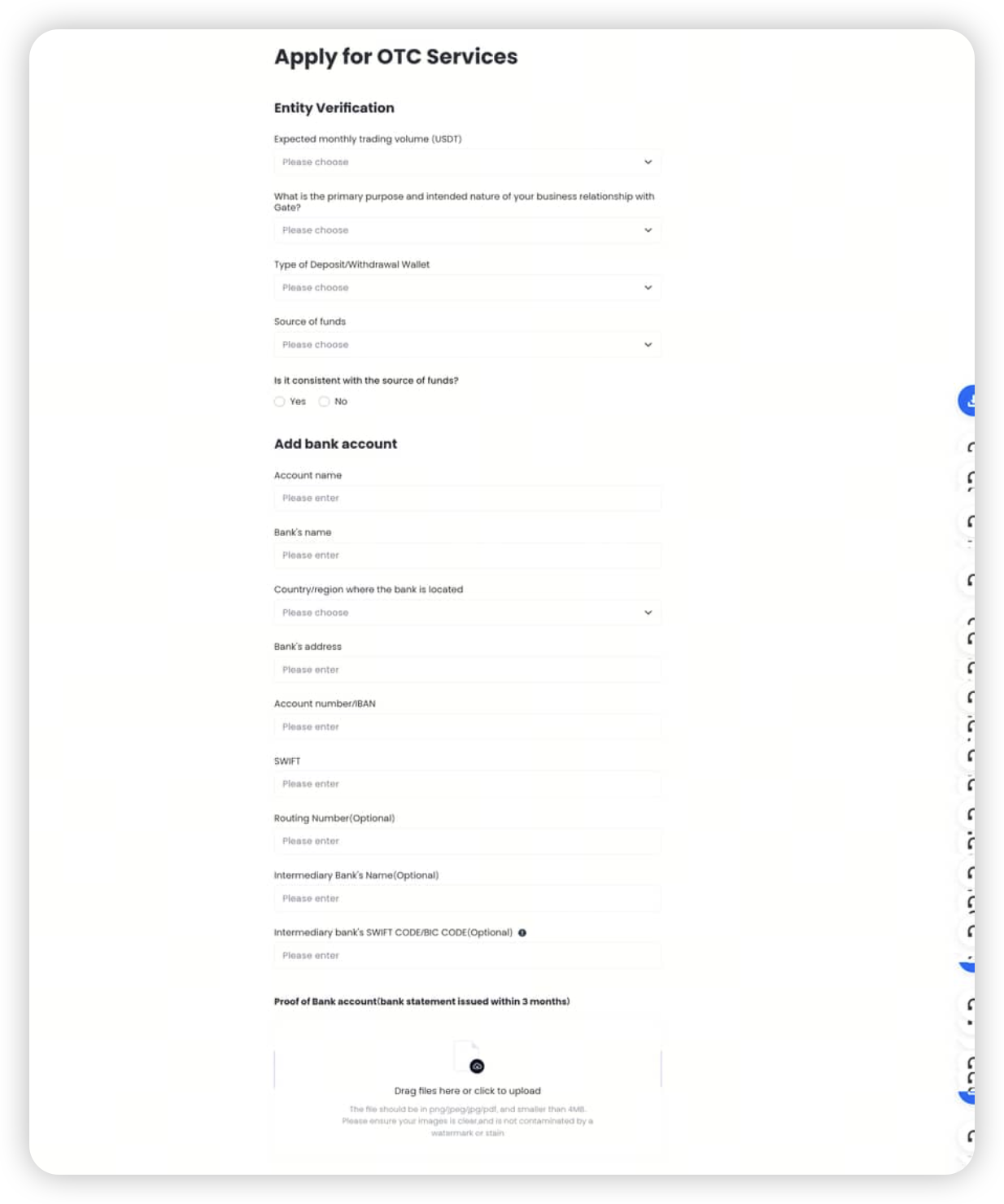
Если вы видите сообщение **"Верификация личности не удалась"**, нажмите **[Верифицироваться сейчас]** и следуйте инструкциям, чтобы заполнить необходимую информацию.
Следуйте инструкциям, чтобы завершить корпоративную верификацию.
Шаг 4: Запрос вывода средств
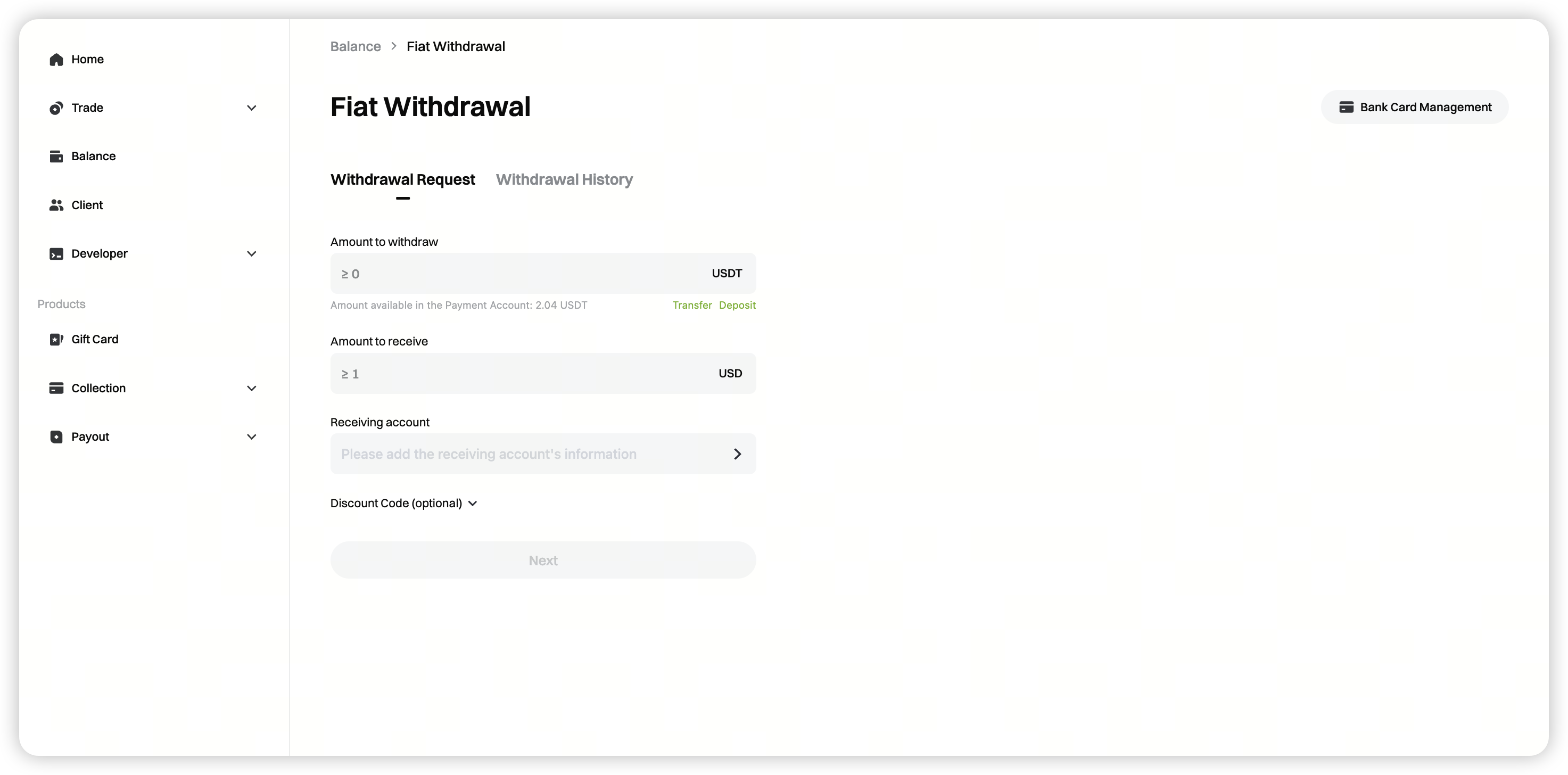
После одобрения вашей внебиржевой корпоративной верификации вернитесь на страницу, введите сумму вывода, выберите принимающий счет и нажмите [Далее].
Минимальная сумма вывода: минимальная сумма будет динамически отображаться на странице.
Шаг 5: Проверьте статус ордера на вывод средств
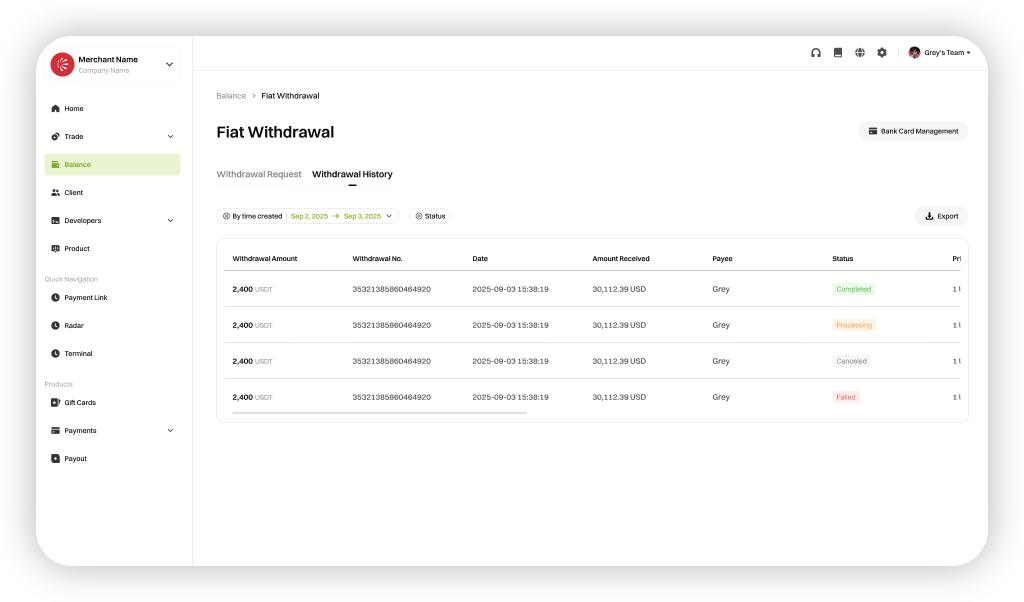
После завершения вывода средств перейдите в [История выводов], чтобы просмотреть статус ваших ордеров на вывод.