


Step 1: Register a Gate account
Register a Gate account on the Gate App or via the official website (https://www.gate.com/) and complete the KYB verification.
Note: This account will also be used for merchant fund transfers.
Step 2: Register a merchant account
Visit: https://www.gate.com/pay-merchant
Use the Gate UID obtained in Step 1 to register your merchant account and fill in the required information.
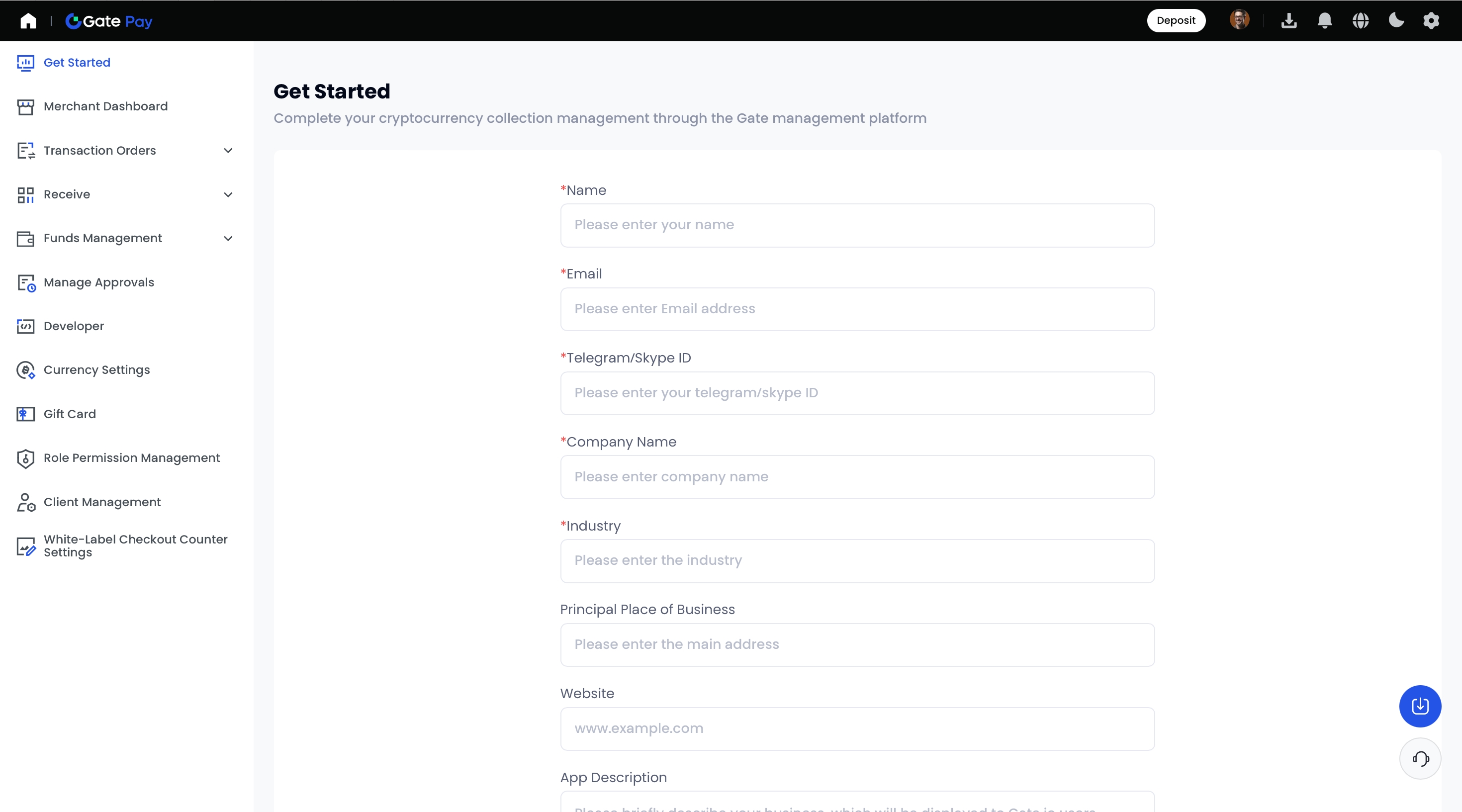
Step 3: Initiate a fiat deposit in the Merchant Dashboard
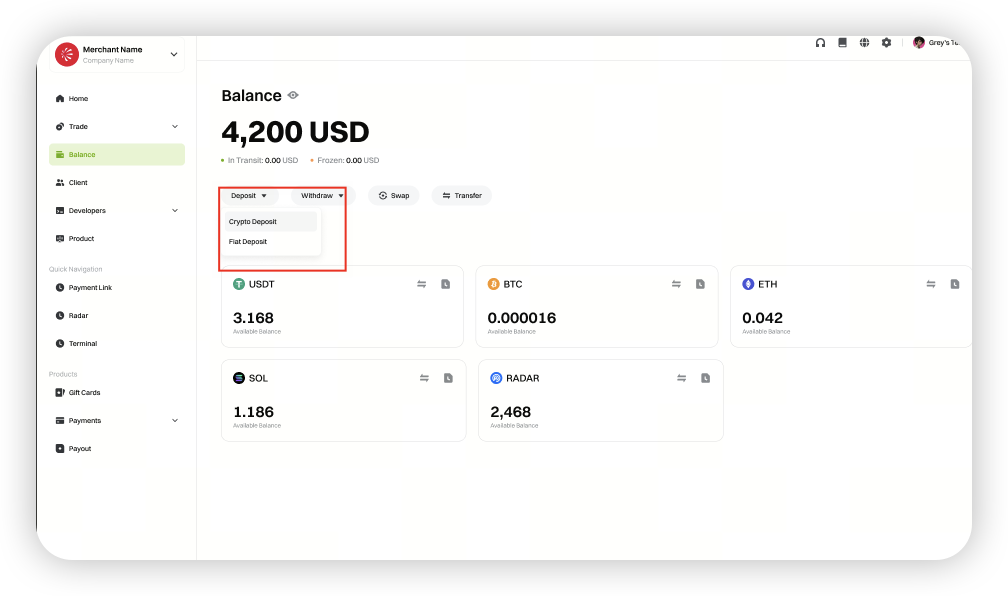
Once your merchant account is verified, log in to the Merchant Dashboard. Go to [Balance] - [Deposit], then select [Fiat Deposit].
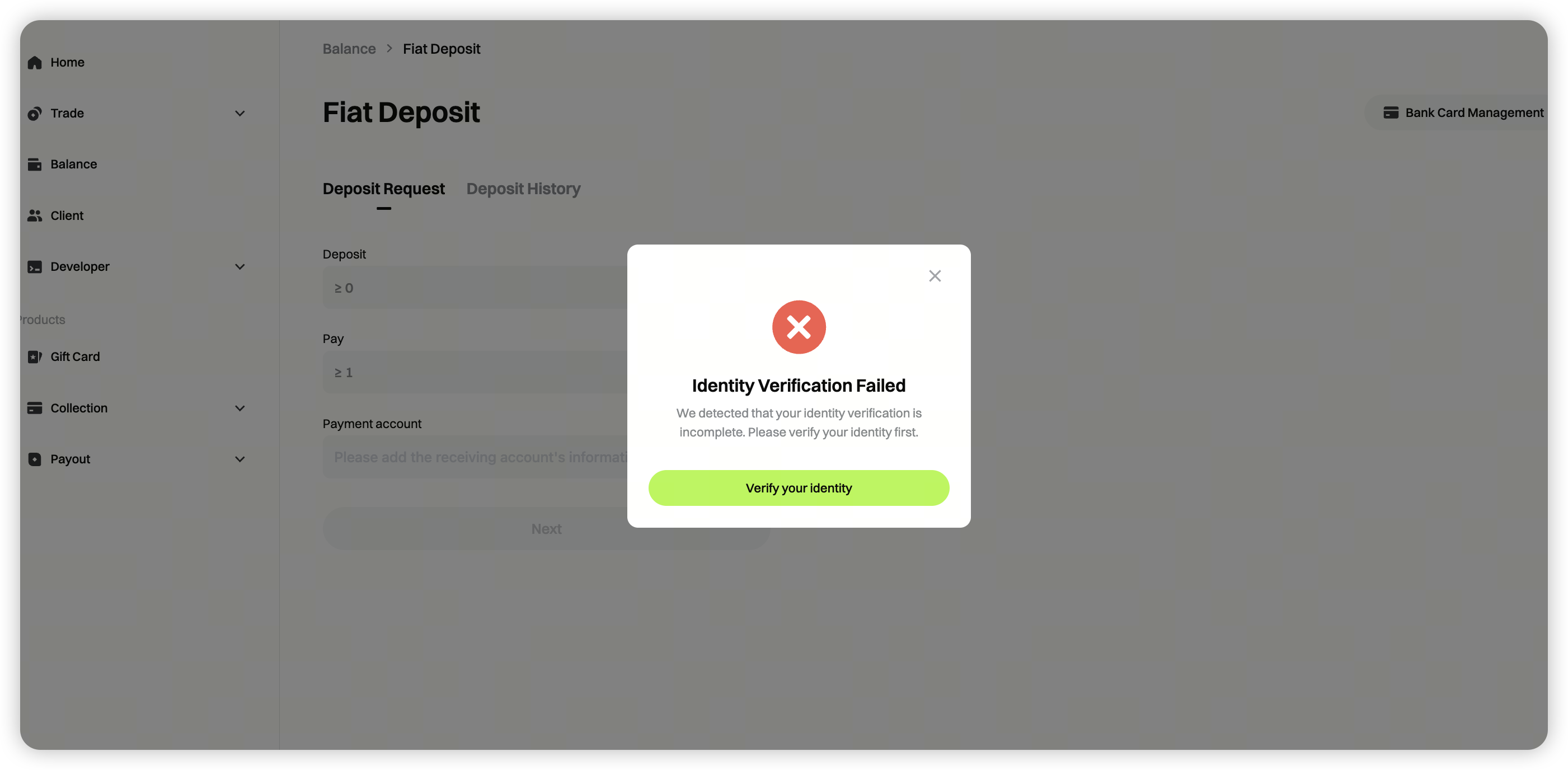
 If you see an **"Identity verification failed"** prompt, click [Verify Now] and complete the required information.
 Follow the on-screen instructions to finish the entity verification.
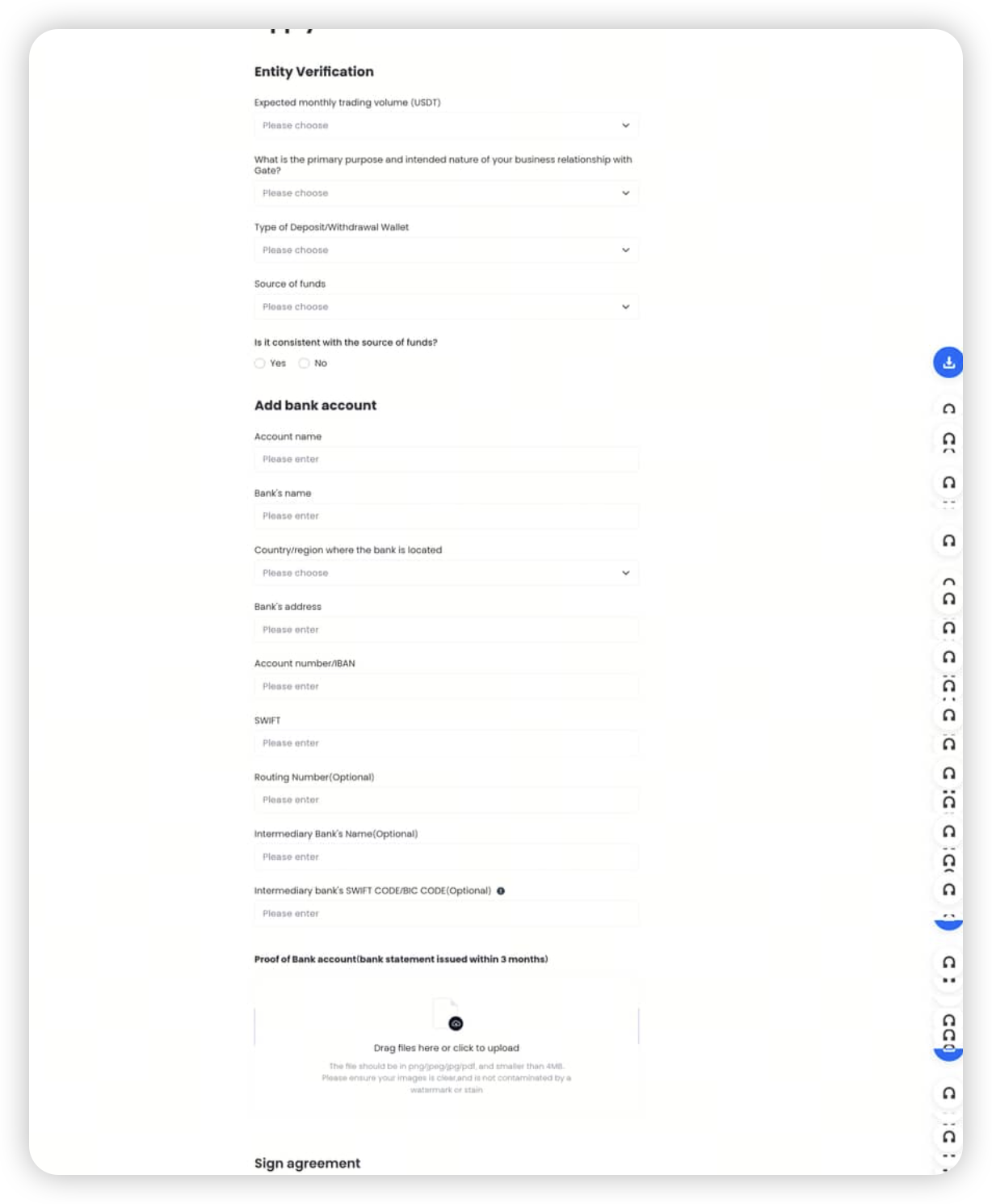
Step 4: After OTC entity verification is approved
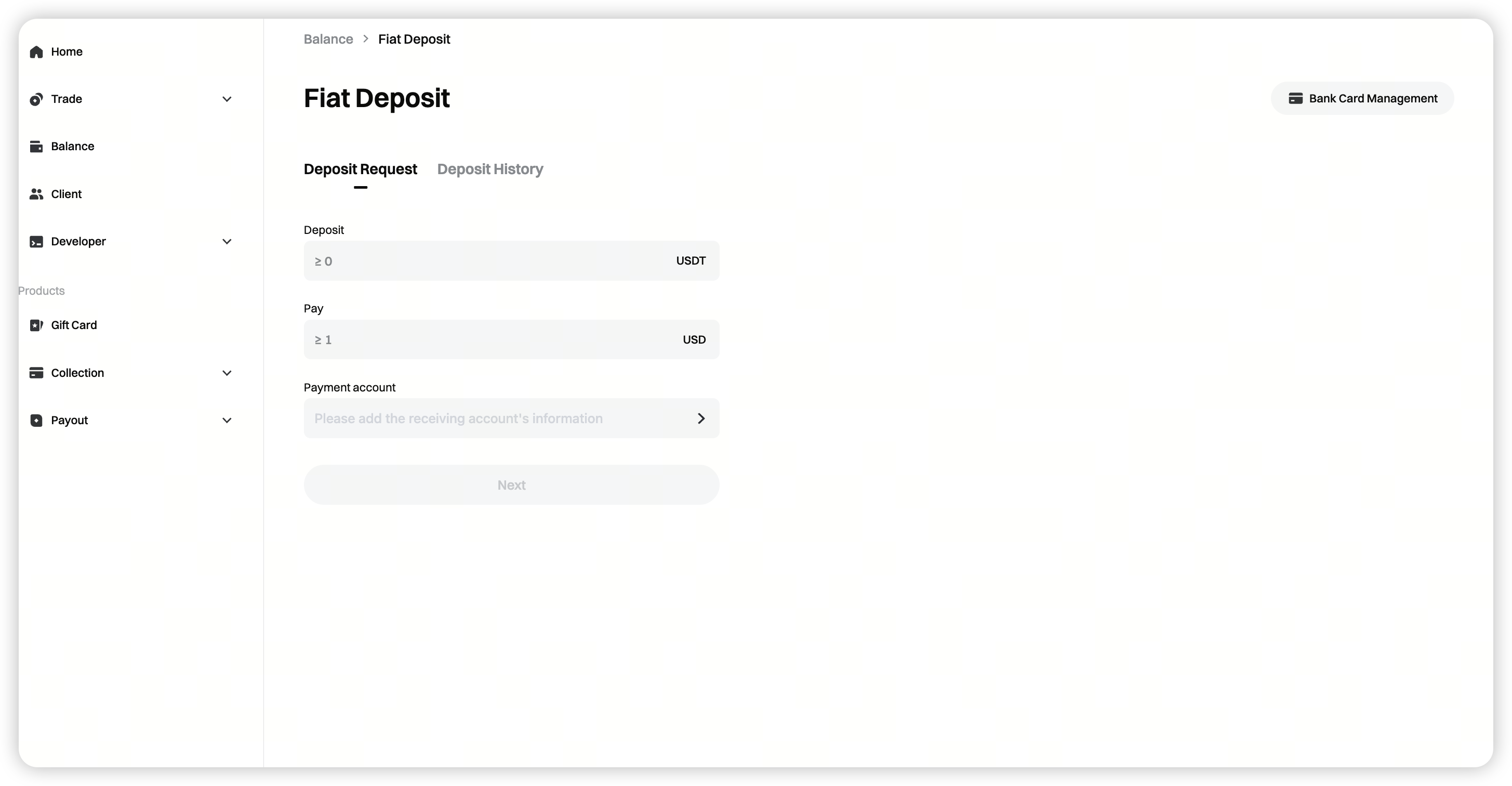
Return to the deposit page, enter the deposit amount, and select the receiving account. Click [Next].
Minimum deposit amount is displayed dynamically on the page.
Step 5: After completing the deposit
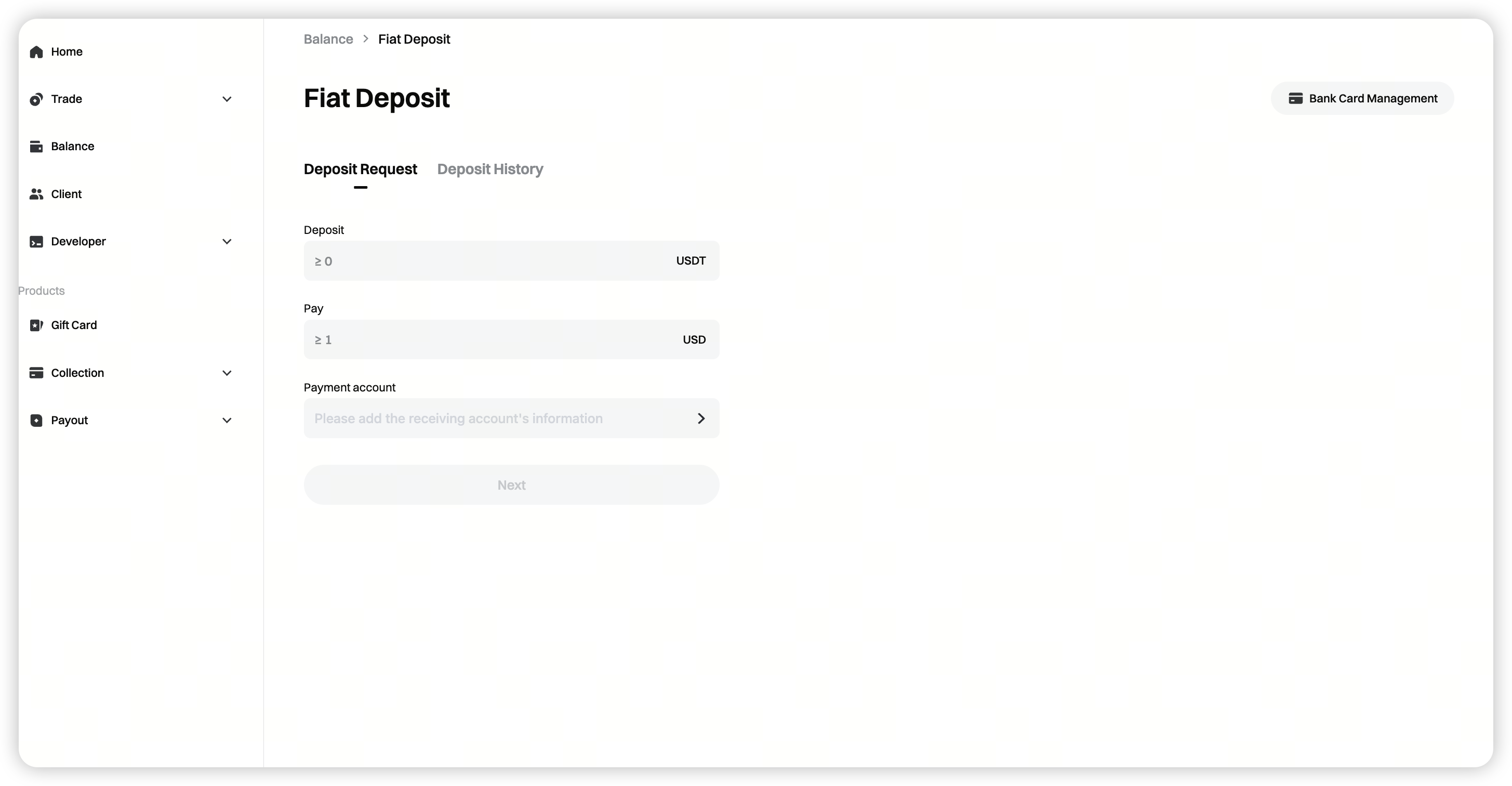
Go to [Deposit History] to check the status of your deposit order.
FAQ
1. How do I make a fiat deposit?
You must complete account registration and identity verification.
Individual users must complete identity and address verification, while enterprise users must pass entity (KYB) verification. Once your verification is approved, follow the on-screen instructions to complete your deposit.
2. What exchange rate is used for fiat deposits? Are there any fees?
The rate is based on real-time market pricing.
The platform does not charge additional fees. Trading fees are already included in the final conversion price.
3. Can I use different bank accounts for transactions?
Yes. After completing KYB, you can add multiple bank accounts under either a personal name or a company name.
4. Which fiat currencies and cryptocurrencies are supported for deposits?
Currently, only USD deposits are supported. More currencies will be added soon. If needed, please contact your account manager.
5. Which bank transfer methods are supported? Are credit cards accepted?
We support fiat deposits and withdrawals through major global banks, including traditional banks, virtual banks, and digital banks.
Credit card deposits are not supported at this time.
Disclaimer
The content provided herein is for reference and educational purposes only and does not constitute any financial, investment, trading, or legal advice, nor does it constitute an offer or solicitation to buy or sell any digital assets. Gate makes no express or implied representations or warranties regarding the accuracy, completeness, or timeliness of the information contained herein. Product features, interfaces, rules, and fee structures may be updated or adjusted at any time. Please refer to the latest announcements and the actual information displayed on the Gate platform for the most accurate details.
Digital asset investments involve significant risk, and prices may fluctuate substantially. You may lose the entire amount of your investment. Please make decisions cautiously based on your own financial situation and risk tolerance after fully understanding the associated risks. If necessary, you are advised to consult an independent professional financial or legal advisor.
For more information about potential risks, please refer to Gate's Risk Disclosure and User Agreement.
